


-

Real Business Wins: The ROI Benefits of Implementing DAM Software
In the fast-paced digital world, content is the backbone of most businesses, especially for marketing teams and content creators. However, as digital content production scales, managing and organizing digital assets—images, videos, documents, and more—becomes increasingly complex. This disorganization can lead to wasted time, redundant efforts, and an overall decrease in productivity, ultimately impacting Return on…
-

Case Study: Scaling Content Operations with Wizbrand’s DAM Software
In the digital age, content is king. However, managing large volumes of digital content efficiently is a significant challenge for marketing and content teams. Without a robust system in place, organizations often struggle to keep track of assets, leading to inefficiencies, missed deadlines, and inconsistencies. This case study explores how Wizbrand, a leading Digital Asset…
-

“Streamline Your Team’s Digital Asset Management with Wizbrand”
In today’s digital world, effective asset management is a critical challenge for content teams, marketers, and SEO professionals. With an ever-increasing volume of digital files—images, videos, documents, and more—teams are often overwhelmed by the need to organize, retrieve, and manage these assets efficiently. The lack of a streamlined system can result in inefficiencies, wasted time,…
-

How Inefficient Asset Management Costs Your Team Time and Money
In today’s fast-paced digital environment, managing assets efficiently is crucial for the success of any marketing or content-driven business. When teams struggle to store, organize, and retrieve digital content, they waste valuable time and resources. This inefficiency not only hampers productivity but also increases costs. In this blog post, we will explore the detrimental impact…
-

Feeling Buried in Files? Here’s Why You Need a DAM Solution
In today’s digital-first world, managing and organizing digital assets can feel like an overwhelming task. Whether it’s images, videos, presentations, or documents, your digital content is a key part of your marketing and business strategies. However, as the number of assets grows, so does the complexity of managing them effectively. If your team spends more…
-
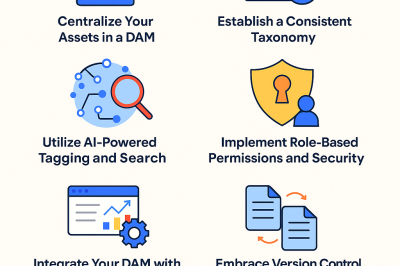
Feeling Buried in Files? Here’s Why You Need a DAM Solution
In the fast-paced digital age, the amount of content businesses generate is continuously growing. From high-resolution product images to engaging videos and documents, digital assets are at the core of most marketing, sales, and content operations. However, managing these assets can quickly become a cumbersome task without the right tools in place. If your team…
-
Digital Asset Organization: Pro Tips for 2025 and Beyond
In the ever-expanding digital landscape, organizing digital assets effectively has become a critical factor for marketing success. As content volumes surge and teams grow increasingly distributed, digital marketers, SEO professionals, and content creators face the challenge of managing their assets efficiently while maintaining agility and collaboration. The year 2025 and beyond demands smarter, more streamlined…
-
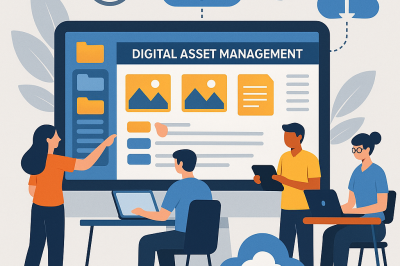
Digital Asset Organization: Pro Tips for 2025 and Beyond
In today’s digital-first era, content is the lifeblood of every marketing strategy. For digital marketers, SEO professionals, and content teams alike, managing the explosion of digital assets effectively has become a vital challenge. Without a streamlined approach to organizing your digital assets, even the most creative strategies risk falling flat due to delays, miscommunication, and…
-
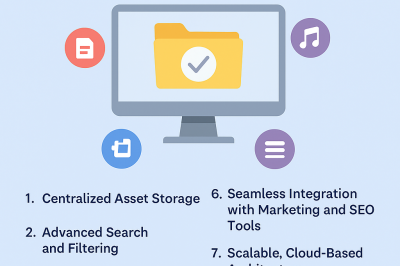
10 Essential Features Every Powerful DAM System Must Have
In the fast-paced world of digital marketing and content creation, managing a growing library of media assets is no longer a luxury—it’s a necessity. From social media graphics and brand videos to marketing collateral and SEO documents, the volume of digital content is exploding. That’s where Digital Asset Management (DAM) systems come into play. A…
-
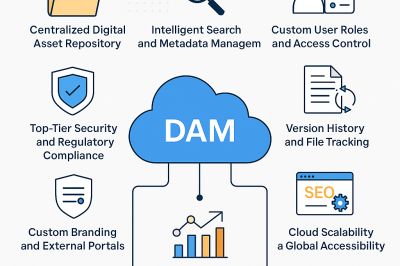
10 Essential Features Every Powerful DAM System Must Have
In a content-saturated digital era, the success of marketing, branding, and SEO campaigns often hinges on how efficiently teams can manage their digital assets. From high-resolution visuals to SEO reports and marketing videos, companies generate and rely on a massive volume of content daily. But with scattered storage systems and inconsistent workflows, digital assets can…
-
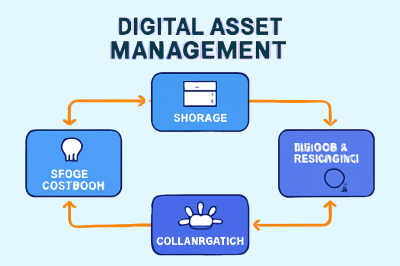
DAM vs Traditional File Storage: Which One Powers Growth Better?
In today’s increasingly digital world, businesses are generating vast amounts of digital assets—images, videos, documents, presentations, and more. These assets are essential for marketing campaigns, SEO efforts, branding, and day-to-day operations. However, as the volume of digital content grows, managing, organizing, and accessing these assets becomes a major challenge. The question arises: Which method is…
-

How DAM Software Supercharges Team Collaboration and Speed
In today’s digital-first world, content is king. Digital marketers, content creators, and SEO professionals are consistently tasked with producing high-quality assets—images, videos, documents, and more—at a rapid pace. As the volume of these digital assets grows, so does the complexity of managing, organizing, and sharing them across various teams. Without the right tools in place,…
-
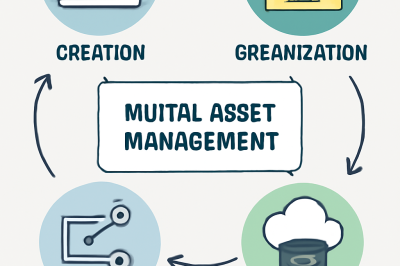
Why Every Modern Business Needs Digital Asset Management Today
In today’s fast-moving digital landscape, content is king. Businesses of all sizes are constantly producing a vast array of digital assets to fuel marketing campaigns, drive engagement, and support their overall brand strategy. From social media graphics and product images to videos, blog posts, and promotional materials, these assets are critical for a company’s success.…
-
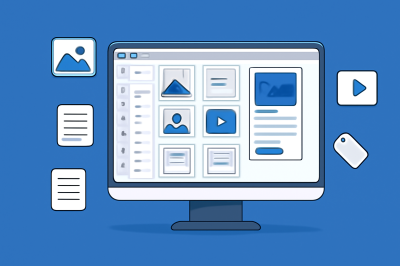
Digital Asset Management 101: The Ultimate Beginner’s Guide
In today’s fast-paced digital landscape, content is king. From engaging social media posts and video ads to informative blogs and internal reports, digital assets such as images, videos, audio files, and documents are at the core of modern business strategies. However, with the growing volume of digital content comes the challenge of effectively managing and…
-

Top DAM Companies Leading Innovation in Digital Content Management
In an increasingly digital world, businesses are creating vast amounts of content daily, from images and videos to social media posts and marketing materials. Managing this content, ensuring it is easily accessible, and optimizing it for various channels is a constant challenge. Enter Digital Asset Management (DAM) platforms—tools that help businesses store, organize, and distribute…
-
Where to Find the Best Digital Asset Management Software in 2025
As digital content continues to play a pivotal role in marketing strategies, managing the increasing volume of assets—images, videos, documents, and social media content—has become more complex. Content teams, marketers, and SEO professionals are often overwhelmed with the task of organizing, optimizing, and collaborating on digital files. The solution lies in Digital Asset Management (DAM)…
-
Most Popular DAM Platforms Revolutionizing Content Teams
In today’s digital landscape, content creation is at the heart of a successful marketing strategy. With an ever-growing volume of assets such as images, videos, social media posts, and documents being produced, managing this content effectively has become a monumental task for businesses. Content teams, digital marketers, and SEO professionals are faced with the challenge…
-
Top Digital Asset Management Tools to Try in 2025
As digital content continues to explode in volume, managing these assets efficiently has become a critical challenge for businesses. From images, videos, and documents to social media posts and marketing materials, content teams need a centralized, organized, and optimized way to store, search, and retrieve their assets. Digital Asset Management (DAM) tools have become essential…
-
Healing Beyond Borders: The Future of Global Medical Tourism and the Platforms Leading It
As healthcare continues to evolve in the face of rising costs, long wait times, and unequal access, medical tourism has emerged not merely as an alternative, but as a transformational movement in global healthcare. Once viewed as a niche option, it has now become a multi-billion-dollar industry empowering patients to make cross-border decisions with confidence,…
-

Action Required: Your app is not compliant with Google Play Policies (MyHospitalNow)
Error: Solution: To update your privacy policy declaration, follow these steps: