-

How to create a search bar in Flutter
Flutter is renowned for the versatility it provides to a broad range of applications, including banking apps, e-commerce sites, and educational programmes, among many others. Widgets, which serve as basic building blocks for intricate applications, enable all of this. Every app may be dissected into a number of components, some universal to all apps and…
-

how to upload image in flutter with laravel store api
You must take various steps, such as setting up the Laravel API endpoint and putting the Flutter code for image uploading into practise, in order to upload an image from a Flutter app to a Laravel API for storage. Here is a basic how-to tutorial for doing this: Step 1: Implement the Image Upload dart…
-

rejected master -> master (non-fast-forward)
Error Solution: Your local Git branch is behind the remote branch, which is why Git is blocking you from pushing changes to the remote repository that would cause a non-fast-forward update. This is why you are receiving the error message. You must first synchronise the modifications made in the remote branch with your local branch…
-

Launching URLs in Flutter with url_launcher
To open a URL in a Flutter app using the url_launcher package, you can follow these steps: Step 1 : Add url_launcher to your pubspec.yaml file: Step 2: Run flutter pub get to fetch and install the package. Step 3: Import the url_launcher package in your Dart file where you want to open the URL:…
-

How to resolve version solving failed in flutter
Error Solution: I need to use dependency override. Since this code is from my project, the path provider was the issue; hence, you must locate the relevant package. This will resolve your issue if you take the conflict and place it inside the dependency_overrides.
-

Flutter Multiple Select dropdown list
how to use a multiple select drop-down list with the same design? I utilised the (flutter_custom_selector) plugin, but I need to know how to construct a multiple select dropdown list in Flutter without using any plugins. My code is and my design is Click to view Design image
-
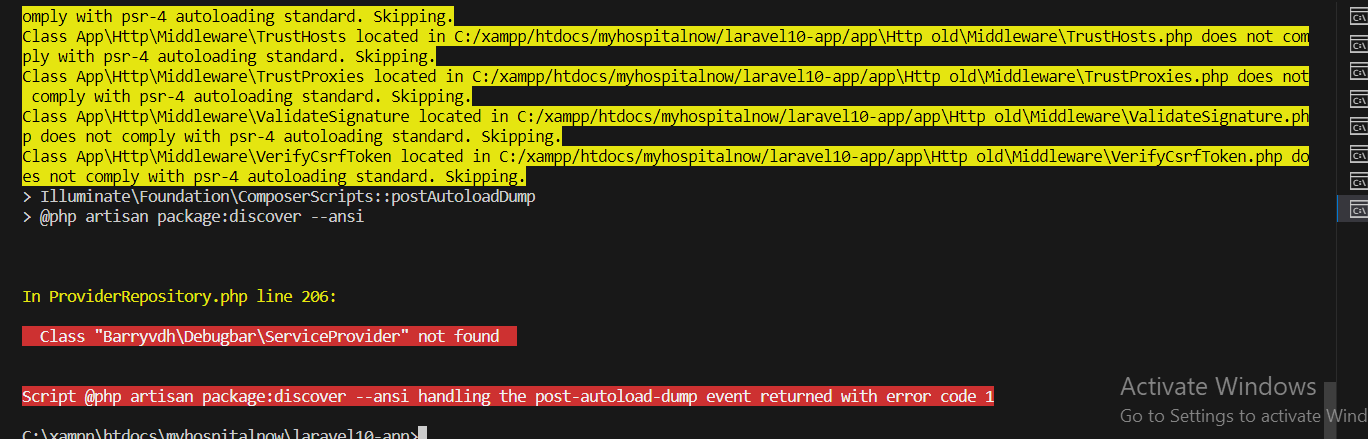
Envoy raise Class ‘Barryvdh\Debugbar\ServiceProvider’ not found?
Error Solution: Go to composer.json and add this code “barryvdh/laravel-debugbar”: “^3.2”, Step 2: Composer update Problem is solved
-
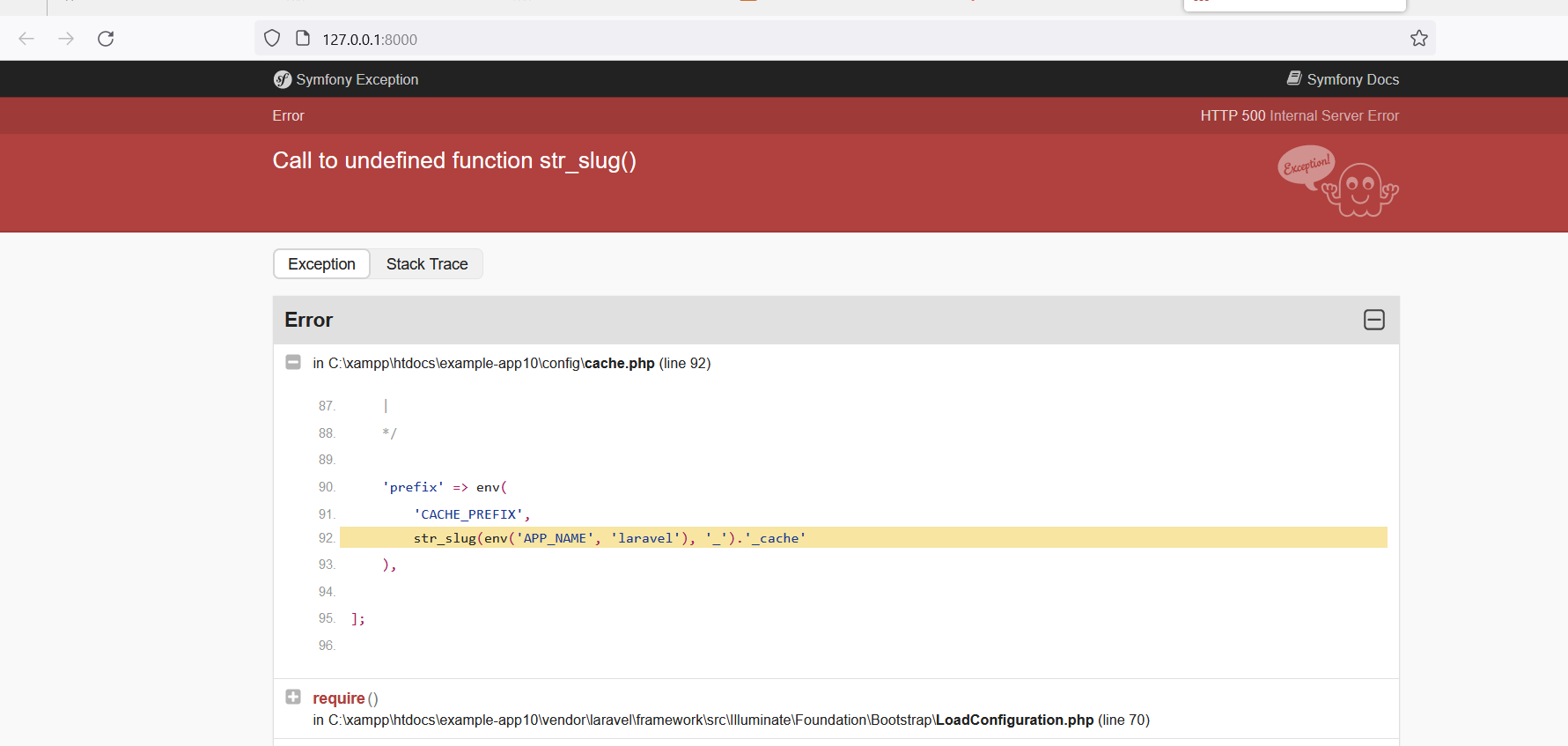
C:\xampp\htdocs\example app10\config\cache.php:92
Error C:\xampp\htdocs\example-app10\vendor\laravel\framework\src\Illuminate\Foundation\Application.php:261 Solution: Go to config\cache.php file and update latesh laravel 10 cache.php file
-

“Connection for controluser as defined in your configuration failed” with phpMyAdmin in XAMPP
Error: connection for controluser as defined in your configuration failed. phpmyadmin xampp mysqli::real_connect(): (hy000/1045): access denied for user ‘pma’@’localhost’ (using password: no) Solution: If you need to start MySQL, you can do so from the XAMPP control panel or by using the terminal. Here are the steps to start MySQL from the terminal: Step 1:…
-
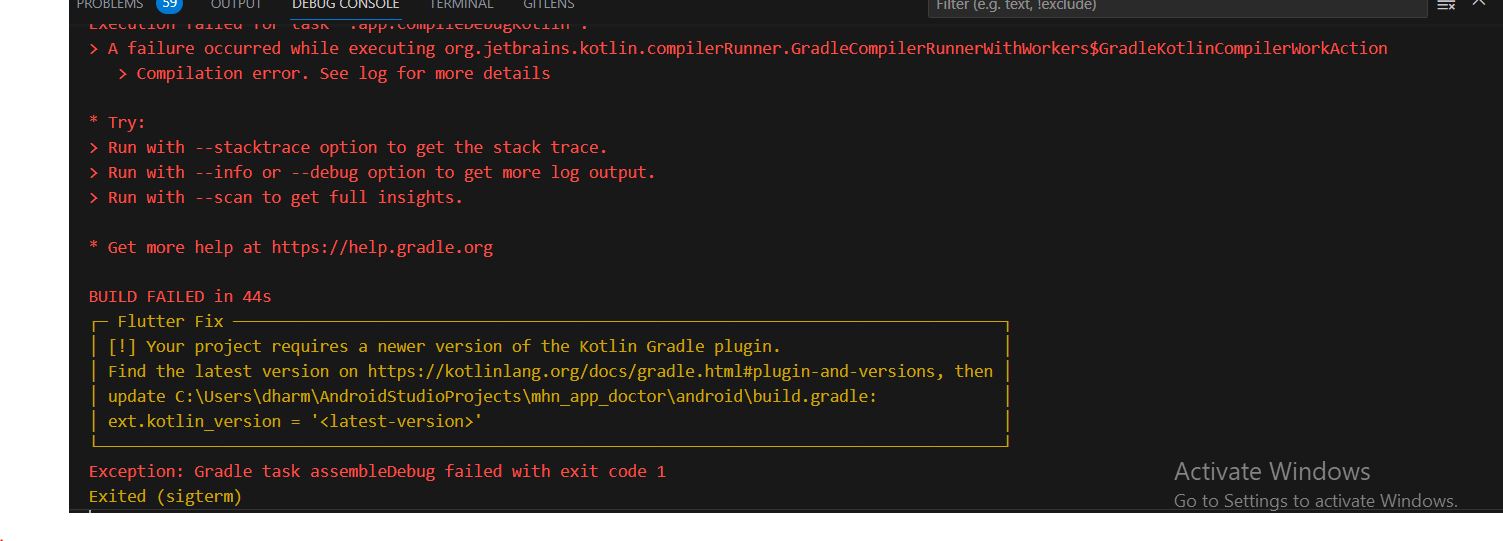
Your project requires a newer version of the Kotlin Gradle plugin. (Android Studio)
Error: Solution: Step 1: Go to this https://kotlinlang.org/docs/gradle.html and find latesh version. Step 2: Copy this latesh version and past build.gradle file Step 3: Run project after that proble is solved
-
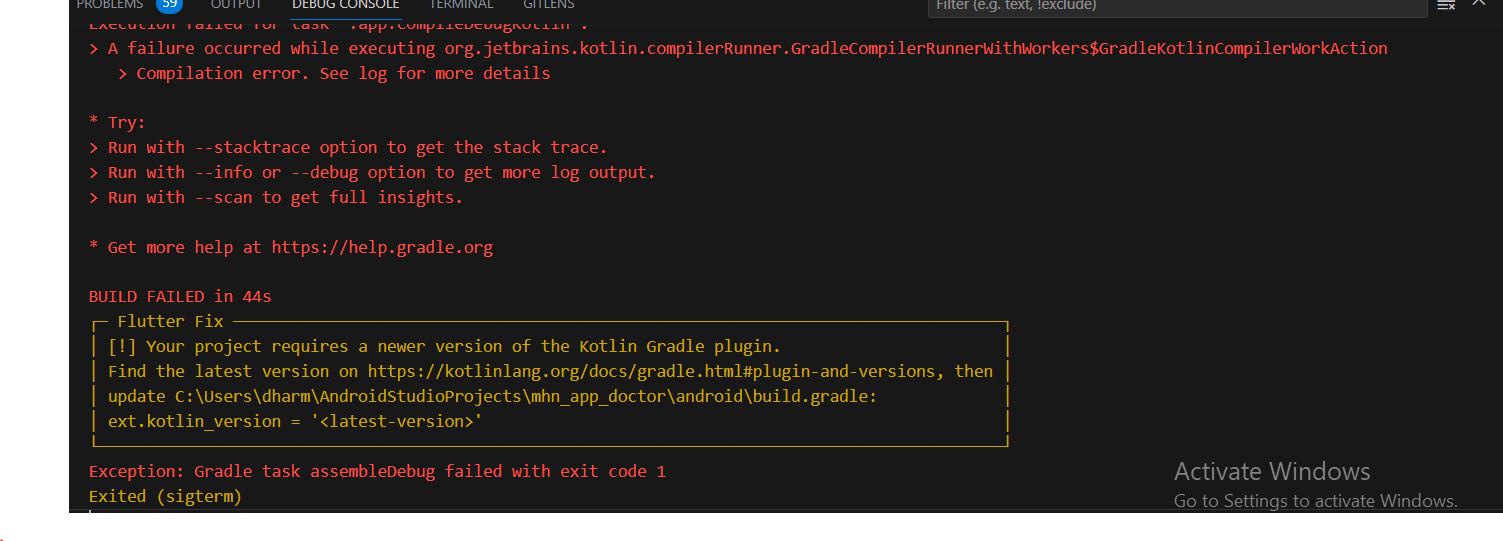
Flutter Error – Project require a newer version of kotlin Gradle plugin
Error Solution: Update Flutter Kotlin version to latest To solve “newer version of kotlin gradle plugin”, Simple you need to update kotlin version i.e ext.kotlin_version. Navigate to Project > android > build.gradle The current latest version at the time of this article is 1.6.10, It will change in future. So to get the updated latest version of…
-
![Flutter Run Failure [INSTALL_FAILED_OLDER_SDK] Requires newer sdk version #33 (current version is #30)](https://www.sreschool.in/wp-content/uploads/2023/09/Capture.jpg)
Flutter Run Failure [INSTALL_FAILED_OLDER_SDK] Requires newer sdk version #33 (current version is #30)
Error Solution: Go to build.gradle file and change Version
-

Most Popular YouTube Channel for Software Engineers DevOps, SRE, DevSecOps, AIOps, MLOps … ‘FREE Tutorials’
1. DevOpsSchool (https://www.youtube.com/@TheDevOpsSchool) Software engineers interested in DevOps, SRE, DevSecOps, AIOps, MLOps, DataOps, Kubernetes, AWS, Azure, Python, Google Cloud, and Microservices should check out DevOpsSchool. This channel is a go-to source for people wishing to improve their talents because to its extensive library of tutorials and in-depth explanations. 2. scmGalaxy (https://www.youtube.com/@Scmgalaxy) scmGalaxy provides a plethora…
-

How to Make Navigation from One Screen to Other in Flutter.
Simply follow the steps below to navigate from one screen to the next:- Step 1: Create two new files with the name “home” as the first step.Dart and elsewhere. Step 2: Import the material into main.dart now.Dart package library and home.dart are both used. See the photo below. Step 3: We now call the main()…
-
![[SOLVED] Unhandled Exception: Navigator operation requested with a context that does not include a Navigator.](https://www.sreschool.in/wp-content/uploads/2023/09/maxresdefault.jpg)
[SOLVED] Unhandled Exception: Navigator operation requested with a context that does not include a Navigator.
This happens because when you do Navigator.of(context), it will start from the widget associated to the context used. And then go upward in the widget tree until it either find a Navigator or there’s no more widget. So, it throws an Error Navigator operation requested with a context that does not include a Navigator. So, how…
-

How to Check if an application is on its first run or One time Intro Screen with Flutter.
If you wish to show the intro screen only for the first time, you will need to save locally that this user has already seen intro. For such thing you may use Shared Preference. There is a flutter package Shared Preferences which you can use. Please refer to the below complete tested code to understand how to…
-
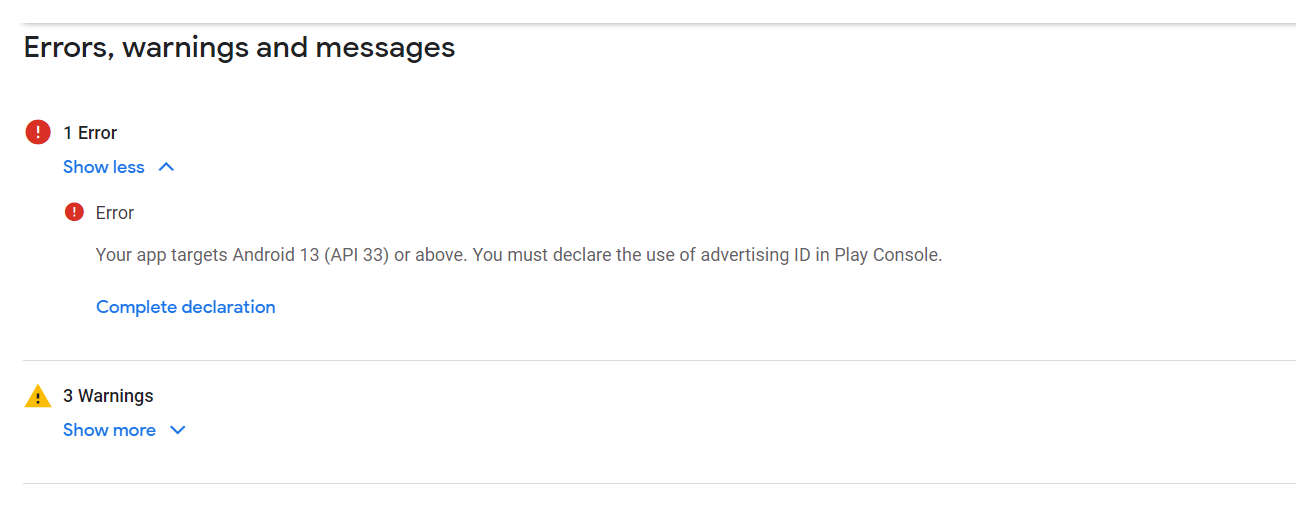
Your app targets Android 13 (API 33) or above. You must declare the use of advertising ID in Play Console.
Error Solution Step 1: Click Complete declaration Step 2: Choose your app(Does your app use an advertising ID? NO and Yes) Step 3: Click No, The Problem is solved
-

Form Validation in Flutter
Every application needs to have form validation. There are other ways to validate forms in the flutter application, for as by utilising a TextEditingController. However, managing text controllers for each input can get complicated in large applications. As a result, Form offers us a practical method for verifying user inputs. Although the condition is applied…
-
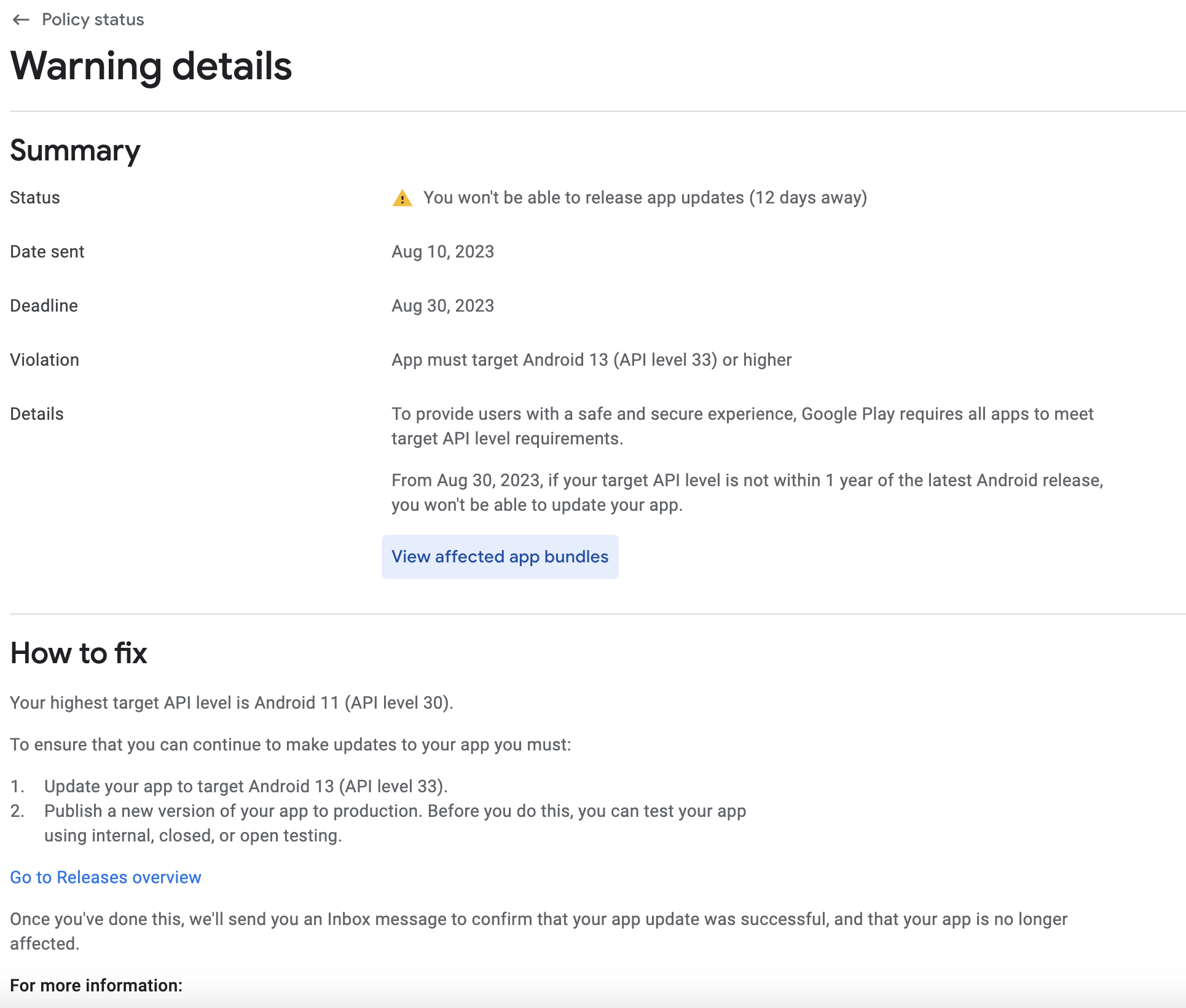
Your app currently targets API level 31 and must target at least API level 33 to ensure it is built on the latest APIs
Error Solution: Step 1: Got to your project pubspec.yaml file and change version Step 2: Got to your project terminal and run this command flutter pub get Step 3: Got to your project terminal and run this command flutter clean Step 4: Got to your project terminal and run this command Step 5: Open your…
-
![[ERROR: flutter/runtime/dart_vm_initializer.cc(41)] Unhandled Exception: type ‘List’ is not a subtype of type ‘FutureOr’](https://www.sreschool.in/wp-content/uploads/2023/09/image-15.png)
[ERROR: flutter/runtime/dart_vm_initializer.cc(41)] Unhandled Exception: type ‘List’ is not a subtype of type ‘FutureOr’
Error It looks like the error you’re encountering is due to a type mismatch between the return type of your getDoctors function and the expected return type when setting the doctors state. You’re trying to set a list (List) to the doctors state, but the function is declared to return a Future. To resolve this…