




-

Redis Tutorial for Beginners – Introduction
What is Redis Redis, an open-source in-memory data structure store that stands for REmote DIctionary Server, is frequently used to create non-relational key-value databases and caches. It’s crucial to understand that Redis is not a key-value database but rather a data structure store. Each key in a conventional key-value database is an arbitrary string that…
-

Update flutter dependencies in /.pub-cache
Error: Solution: Step 1: Update to Latest Compatible Versions: for this command Step 2: Update to Latest Possible Versions: run this command Step 3: Identify Outdated Packages: for run this command Step 4: Manual Updates: Step 5: last command
-
The argument type ‘Null’ can’t be assigned to the parameter type
Error: Solution: You’re trying to send null to a parameter that expects a Colour value, which is why the problem occurs. In place of null, you can use Colors.transparent if you wish to avoid specifying a borderColor. The following is how to update your code: This way, you’re providing a valid Color value for the…
-
The value of the field ‘_images’ isn’t used. Try removing the field, or using it.dartu
The alert The message “The value of the field ‘_images’ isn’t used” suggests that you have a private variable in your Dart code called _images, which is declared but never used. This can occur when you define a variable that you later decide you don’t need for temporary storing or for use in future development.…
-
The argument type ‘void Function(String)’ can’t be assigned to the parameter type ‘void
Error: Solution: The error occurs because the onChanged callback in DropdownButtonFormField expects a function that takes a nullable string (String?), but your onChanged callback is specified to take a non-nullable string (String). To resolve this, you can update the type of newValue in your onChanged callback to be nullable: In this updated code, newValue is…
-
The argument type ‘Object?’ can’t be assigned to the parameter type ‘Widget?
Error: Solution: When concatenating pvalue to a string, an error message is displayed indicating that there is a mismatch in type. Although it is assumed that the pvalue variable is of type Object, it must first be explicitly cast to the String type in order to be utilised in string concatenation. To resolve this error,…
-
CachedNetworkImage throwing error after upgrading to latest Flutter Stable version
Error: Solution: Reduce the package multi_image_picker2’s version: You can attempt upgrading to a prior version where DecoderCallback is recognised, as the problem is occurring in version 5.0.02. Revise the file pubspec.yaml. Then, run flutter pub get to fetch the specified version of the package.
-
[Solved] Packages have newer versions incompatible Error
We’ll walk you through fixing the Flutter error “packages have newer versions incompatible with dependency constraints” in this post. When you add obsolete packages to the pubspec.yaml file, you get this error. To fix this problem, refer to the following solution: Error: Solution of Error: You must upgrade each package and plugin to the most…
-

The lower bound of “sdk: ‘>=2.7.0 <3.0.0′” must be 2.12.0’
Error: Solution: The error message you’re getting suggests that the pubspec.yaml file for your project’s Dart SDK limitations isn’t compatible with the version of Dart needed for null safety. Since Dart 2.12 introduced null safety, you must include a lower bound of 2.12.0 in your SDK restrictions if you wish to use null safety features.…
-
Linux Commands to Troubleshoot Performance Issues
In order to diagnose problems with Linux systems’ performance, one must look for difficulties with the CPU, RAM, disc I/O, network usage, and general responsiveness of the system. You can use the following popular Linux commands and utilities to troubleshoot performance issues: 1. top and htop Shows dynamic, real-time data on processes that are now…
-
Linux Commands to Troubleshoot Network Issues
To troubleshoot network issues on a Linux system, you can use several commands that provide information about the network interfaces, routing tables, and active connections. Here are some commonly used commands with examples: ping Here are some examples of how to use the ping command in Linux: traceroute You may use the Linux traceroute command by following…
-

Larval Application Troubleshooting Advance Guide
1. Environment Configuration Issues 2. Database Connection Issues 3. Migration Problems 4. Routing Errors 5. View Loading Issues 6. Session and Cache Problems 7. Authentication Issues 8. Queue Job Issues 9. Email Sending Problems 10. Performance Issues 11. Error Handling 12. HTTPS/SSL Configuration 13. Deployment Issues 14. 404 Errors for Assets 15. Cross-Origin Resource Sharing…
-

50 technique Guides to Troubleshooting Xampp
1. Apache Won’t Start 2. MySQL Won’t Start 3. PHP Scripts Not Executing 4. Access Forbidden Error 403 5. Connection Error to MySQL 6. Sendmail Not Working 7. SSL Not Working 8. PHPMyAdmin Error #1045 9. File Upload Limit 10. Cannot Load XAMPP Page Over Network 11. Error Establishing a Database Connection in WordPress 12.…
-

Apache Troubleshooting Advance Guides
Although diagnosing and fixing Apache HTTP Server problems can occasionally be difficult, there are a number of sophisticated methods and resources available to assist in the process. Here are some sophisticated methods and instructions for troubleshooting the Apache HTTP Server: Apache Documentation: You may offer webpages and applications to your users with the help of…
-

MySql Troubleshooting Advance Guides
Finding and fixing issues with configuration, performance, database connectivity, query optimisation, and other areas can all be part of troubleshooting MySQL issues. This is a detailed tutorial to assist you in troubleshooting common MySQL issues: Check MySQL Service Status: Check to see if the MySQL service is available and operating: With the help of this…
-
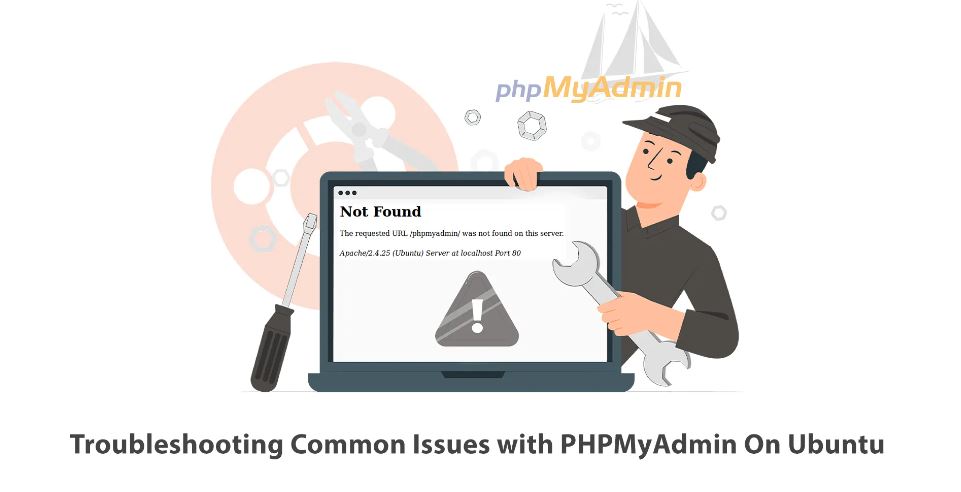
PHPMyAdmin Troubleshooting Advance Guides
Checking the PHPMyAdmin setup might occasionally fix problems with PHPMyAdmin. You can use the following command to verify the PHPMyAdmin configuration: This will display the PHPMyAdmin database configuration. You will be prompted for the MySQL root password as a result. After logging in, use the following command to view the MySQL configuration: You will be…
-

PHP Troubleshooting Advance Guides
It’s critical to address the problem methodically when debugging PHP difficulties. To assist you in troubleshooting common PHP bugs, here is an advanced guide: Look into the PHP error log for any warnings or error messages that might point to problems with your PHP code or server setup. To see errors and warnings, make sure…
-

Composer Troubleshooting Advance Guides
Problems with version conflicts, autoloading, installing dependencies, and other issues can all be identified and troubleshooted when working with Composer. This comprehensive guide will assist you in troubleshooting typical Composer issues: Prior to making any significant changes, always make a backup of your project, especially before editing composer.json or reinstalling dependencies. If these procedures don’t…
-

Git Troubleshooting Advanced Guide
Troubleshooting Git may be difficult and frequently entails identifying different problems with repositories, branches, remotes, conflicts, and other things. This comprehensive guide will assist you in troubleshooting typical Git issues: Make sure Git is the most recent version you are using. Use the following command to see your Git version: Verify your local and global…
-
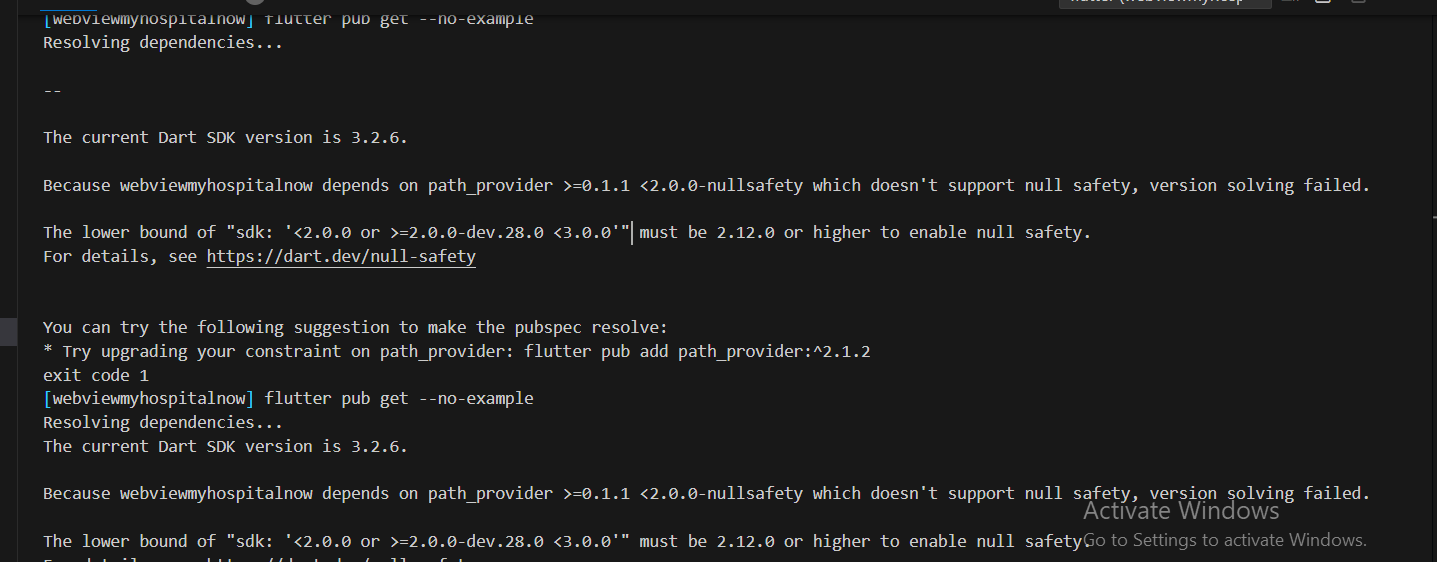
The lower bound of “sdk: ‘<2.0.0 or >=2.0.0-dev.28.0 <3.0.0′” must be 2.12.0 or higher to enable null safety.
Error: Sulotion: Your Dart SDK version is 3.2.6, which requires null safety, and the path_provider package version you’re using doesn’t support it, which is why you’re seeing this error message. You must update the path_provider package to a version that supports null safety in order to fix this problem. Version 2.0.8 of the path_provider package…