




-

A brief guide on clearing Laravel’s cache
Introduction to clearing Laravel’s cache Cache clearing is advised when unsure. You will discover how to empty each and every cache that Laravel uses in this tutorial. In Laravel, use php artisan optimize: clear to clear the cache. Regardless of the cache driver you are using, this works. The bootstrap files (events, compiled, config, routes,…
-

Change PayPal Sandbox to Live Mode Credentials
There are multiple phases involved in converting your Laravel application’s PayPal integration from Sandbox to Live. It is necessary for you to make sure your application is set up for production use and update your PayPal credentials and endpoints. This is a thorough how-to instruction for doing it: Step 1: Get Live PayPal Credentials Step…
-

How DevOps Consulting Services Drive Digital Transformation
Digital transformation is a critical imperative for businesses aiming to stay competitive in today’s fast-paced technological landscape. At the heart of this transformation is the adoption of DevOps practices, which streamline operations, enhance collaboration, and accelerate innovation. DevOps consulting services play a pivotal role in facilitating this transformation. This comprehensive guide explores how DevOps consulting…
-

Handle clicks from your users using jQuery
Introduction to click events in jQuery A common feature in web development are click events. They can’t be avoided, but jQuery provides an easy solution to deal with them. Additionally, I’ll demonstrate how to do it with Vanilla JavaScript, which is simply JavaScript that doesn’t require any other libraries. The .click() method in jQuery It…
-

How to resolve the Laravel “419 Page Expired” problem.
Introduction to the “419 Page Expired” error in Laravel Have you ever used HTTP code 419 in your Laravel applications and received the “Page Expired” error? Often, it’s a straightforward problem with tokens connected to Cross-Site Request Forgery (CSRF). Let’s examine its meaning and potential solutions. Why “419 Page Expired” happens and how to fix…
-

Easily convert a PHP array to JSON
Convert a PHP array to JSON To convert a PHP array to JSON, you can use the json_encode() function. Here’s how it’s done: This code piece, when run, will produce the following output: {“foo”:”bar”,”baz”:”qux”}. Your PHP array is now a JSON string in an instant! Let’s unwrap the mystique around json_encode(): When to convert a PHP…
-

Can’t import database through phpmyadmin file size too large
Error: You probably tried to upload a file that is too large. Please refer to the documentation for a workaround for this limit. It sounds like you’re encountering an issue with file upload size limits in your Laravel application. Here are some steps to address this issue: Update PHP Configuration: Restart your web server to apply these…
-

The latest version of Laravel is 11! The latest major updates and features are listed here.
A slimmer application skeleton It was time to simplify and rethink the structure of a Laravel application with the release of Laravel 11. The objective? to provide you with a more streamlined and effective foundation for your endeavours. And they have delivered, I assure you. The all-new bootstrap/app.php file Reviving the bootstrap/app.php file to serve…
-

How to publish API and broadcast route files in Laravel 11
New projects will get a leaner skeleton as of Laravel 11. Some of the route files, which might be intimidating for inexperienced developers, have to be removed as part of the endeavour to make it happen. That being said, as your application expands, you may need to build a RESTful API or, for an app…
-

Top 50 Linux Commands for Troubleshooting Linux Server
Effective troubleshooting is essential in the field of Linux server management for upholding reliability, maximising efficiency, and guaranteeing security. Having a solid understanding of fundamental command-line tools can enable system administrators to quickly identify and fix problems. This is a thorough guide to the top 50 Linux commands that are essential for troubleshooting that any…
-

Linux Commands to Troubleshoot Performance Issues
Linux systems may experience performance problems for a number of reasons, including excessive CPU utilisation, memory leaks, disc IO bottlenecks, or network congestion. Linux comes with a number of strong command-line tools that can be used to diagnose and fix these problems efficiently. These tools provide insights into various elements of system behaviour. This is…
-

Laravel 10 Deployment Guide: Enhancing Web Application Security
One of the most important aspects of developing software today is web application security. It is crucial to make sure your Laravel 10 application is secure due to the growing sophistication of cyber attacks. Using the powerful security capabilities of Laravel 10, this tutorial will take you step-by-step through the process of safeguarding your online…
-

How to Build a RESTful APIs with Laravel 10
the ability to develop a scalable, clear, and effective API. The resource controllers and Eloquent ORM in Laravel make it very easy to provide APIs and interact with your data models. Setting Up Your Laravel Environment First, ensure you have Composer installed on your machine. Then, create a new Laravel project by running: After setting…
-

Enhancing Application Security with Laravel 10: New Features and Best Practices
Introduction: Laravel 10 has strong security capabilities to successfully protect your apps as they get more complex and are the target of malicious assaults. This blog examines these improvements, providing useful advice and real-world code samples to support you in strengthening your Laravel applications. 1.Improved Authorization Responses: Laravel 10’s more user-friendly gate and policy methods…
-

What’s New in Laravel 10: A comprehensive guide to the latest features and updates.
Introduction: The most recent version of the well-liked PHP framework, Laravel 10, has a number of innovative features that improve the development process. This blog will explore these new features and provide useful examples to assist you in successfully incorporating them into your projects. 1.Enhanced Routing Efficiency:The routeing performance is greatly improved by Laravel 10.…
-

Troubleshooting “Checksum Provided is Invalid” Error in Paytm Integration
Error: [2024-04-19 11:57:51] local.ERROR: Invalid checksum {“exception”:”[object] (Exception(code: 0): Invalid checksum at C:\\xampp\\htdocs\\blog\\vendor\\anandsiddharth\\laravel-paytm-wallet\\src\\Providers\\PaytmWalletProvider.php:51) Introduction: When Paytm is integrated into your application, you may occasionally see the typical error “Checksum provided is invalid.” Ensuring data security and integrity throughout transactions depends heavily on this error. Using sample code, this blog post will walk you through locating…
-
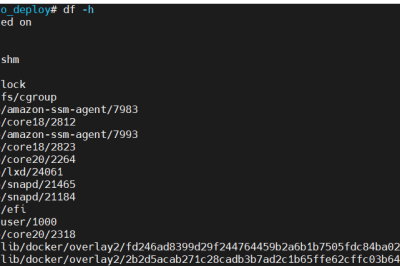
How to fix “docker no space left on device” error {Update 2024}
Error: Solution: Step 1: Disk Space Check Step 2: Unused Docker Images and Containers: Step 3: Docker Volumes Check: Step 4: Docker Configuration: The location of the s file may differ depending on your operating system: Linux: /etc/docker/daemon.json or /etc/default/dockermacOS: /etc/docker/daemon.json or in the settings of the Docker Desktop applicationWindows: in the settings of the…
-
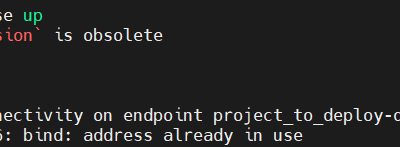
Version in “./docker-compose.yml” is unsupported
Error: Solution 1: Step 1: To change port 3306: If another process or container on your system already has port 3306 occupied and you cannot turn it off, you can try changing the port of your MySQL container. In the Docker compose or Docker command, modify the port number to another number in the Ports…
-

How to Integrate PayPal Payment Gateway in Laravel 10
Introduction: Paypal is a global payment option that is compatible with most nations that allow online money transfers. Paypal offers a more rapid and secure method of money transfers. The majority of e-commerce companies use Paypal to receive payments from clients because of its widespread use. We will incorporate the Paypal payment gateway into a…
-

PAYTM PAYMENT GATEWAY INTEGRATION IN LARAVEL 10
Introduction: In this article, I’ll walk you through integrating the Paytm payment gateway into a Laravel 10 application. In terms of the market nowadays, particularly in India, everything is digital. India has become a digital country. One well-known e-commerce and payment company in India is Paytm. They offer a really simple way to purchase, recharge…