
-
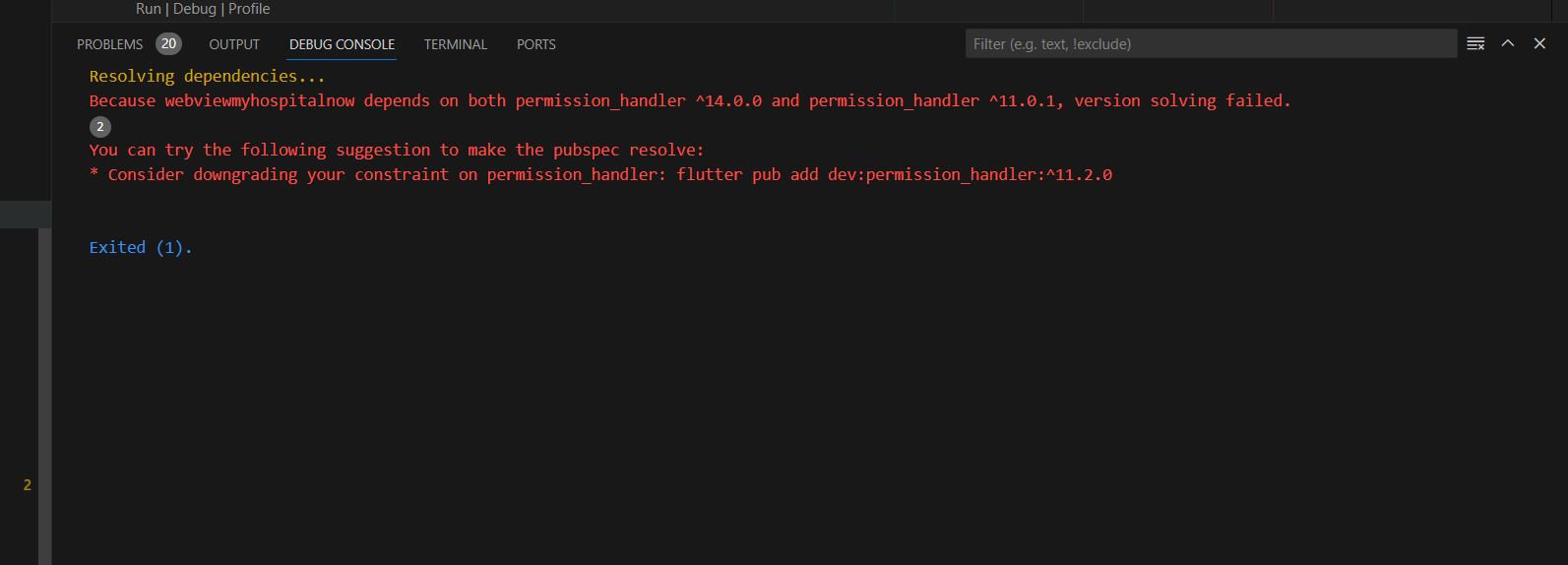
downgrading your constraint on permission_handler: flutter pub add dev:permission_handler:^11.2.0
Error: Sulotion: It seems that there is a suggestion to downgrade the permission_handler package to version 11.2.0. This suggestion might be due to compatibility issues or changes in the package that affect your current Flutter project. To downgrade the permission_handler package to version 11.2.0, you can modify the pubspec.yaml file in your Flutter project. Update…
-
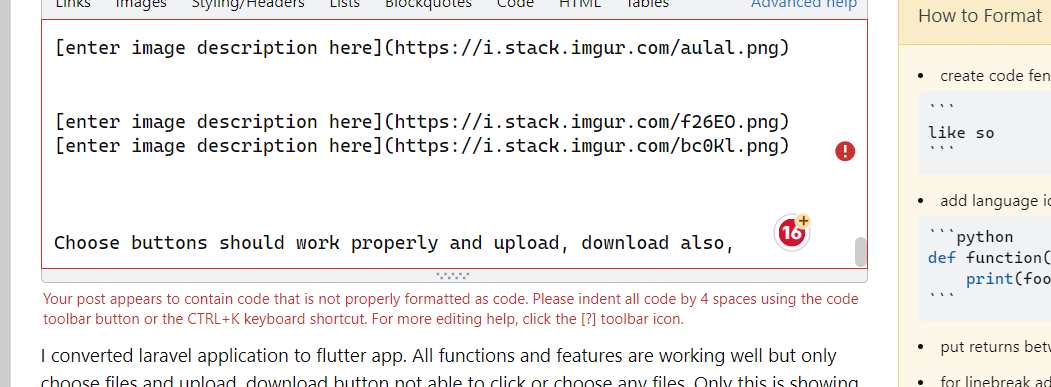
I can’t get code to post in a question – it “appears” there is unformatted code but there is not
Error: Sulotion : There’s only need to do is that block your codes order by order and press CTRL + K. Successful! them past inside.
-

Error with Permissions-Policy header: Unrecognized feature: ‘ch-ua-form-factor in flutter
This header is a component of the Permissions Policy, an online standard for managing how powerful features like camera access and geolocation are used by browsers. Here are some methods you can try to fix this issue: Update Server Response: Speak with the team in charge of the server or the server administrator, and request…
-
How to Enable File Upload in Android Webview App Webview Development Website to App Convert in dart
1. Add Dependencies: Make sure your pubspec.yaml file contains the required requirements. You can use the webview_flutter package to handle WebView: Run flutter pub get to fetch the dependencies. 2. Update AndroidManifest.xml: Make sure your AndroidManifest.xml includes the necessary permissions for internet access: 3. Enable File Upload in WebView: Set up the WebView in your…
-
How to filter profiles based on JSON-decoded data in Laravel
In Laravel, you may filter profiles using JSON-decoded data by doing the following steps: 1. Describe your model: If you don’t already have a model file, make one now, assuming you have a model called Profile: If you’re using an older version of Laravel, this will produce a file in the app/Models directory (or app…
-

How To Use Laravel Telescope For Debugging: A Step-By-Step Approach
With Laravel Telescope, developers can see right into the heart of your Laravel apps, making it a valuable tool. Debugging becomes more efficient as a result, and tracking queries, jobs, requests, and exceptions becomes simpler. This article will improve your debugging efficiency by going over its features and practical applications. How To Use Laravel Telescope…
-
Laravel implement monitoring tools and log aggregation systems.
For effective application management and troubleshooting, log aggregation systems and monitoring tools must be implemented. The general procedures and suggestions for configuring log aggregation and monitoring in a Laravel application are listed below: 1. Monitoring Tools: 2. Log Aggregation Systems: 3. Laravel Logging Configuration: 4. Custom Laravel Log Channels: 5. Log Level and Environment: 6.…
-
Laravel Application Troubleshooting Advance Guide
In a Laravel application, troubleshooting entails locating and fixing problems that might come up during development or deployment. An intermediate tutorial covering typical troubleshooting situations in a Laravel application may be found below: 1. Check Laravel Logs: 2. Debugging: 3. Database Issues: 4. Composer: 5. Caching: 6. Environment Configuration: 7. HTTP Requests: 8. Routing: 9.…
-

How to Fix Git merge “Please enter a commit message to explain why this merge is necessary” erro
The error message “Please enter a commit message to explain why this merge is necessary” is one that you probably encounter while working as a DevOps engineer or on a git repository. I’ll go into the reasons for this mistake, how to repair it, and some solutions in this post. Why git asked me “Please…
-
lib/main.dart:46:13: Error: Setter not found: ‘platformCallbacksHandler’. WebView.platformCallbacksHandler = (method, args) async {
Error: Solution: The use of WebView.platformCallbacksHandler and clearHistory() in the most recent webview_flutter package version appears to be problematic. Changes to the package API are most likely the cause of the error. This is a revised version of your code that makes use of the most recent webview_flutter package: I’ve changed WebView.platformCallbacksHandler to window in…
-

Login with Google in Laravel 10 App using Socialite Package | Add Sign-in with Google feature in Laravel
I’m going to learn how to sign up and log in to a Google account using Gmail in this video. Please take the few simple actions listed below. You can log in using Google after following this tutorial. Step 1: Install Laravel Step 2: Go to .env and set up connect with database Step 3:…
-

Advanced Git Commands for Troubleshooting and Debugging
When you use Git, things don’t always go as planned or as you would expect. Here are some pointers for identifying and fixing Git problems. Debugging When troubleshooting problems with Git, try these debugging techniques. Use a custom SSH key for a Git command Debug problems with cloning For Git over SSH: For Git over…
-
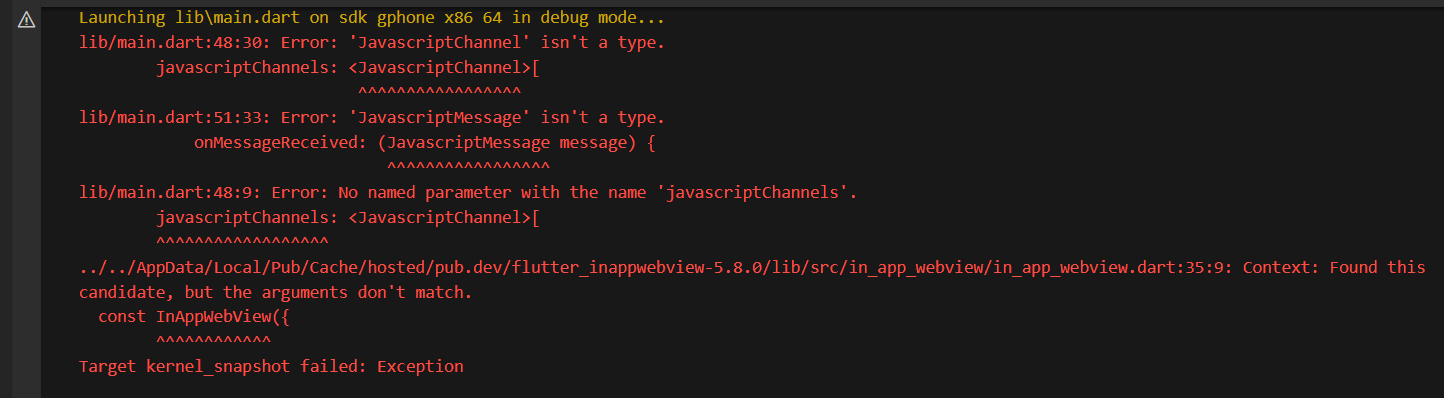
lib/main.dart:48:30: Error: ‘JavascriptChannel’ isn’t a type.
Error: Solution: It appears from the error messages that there is a lack of recognition for the JavaScriptChannel and JavaScriptMessage types. Changes in the API of the flutter_inappwebview package may be the cause of this. The addJavaScriptHandler method 2 has superseded the JavaScriptChannel and JavaScriptMessage classes, according to the official flutter_inappwebview documentation. This is how…
-
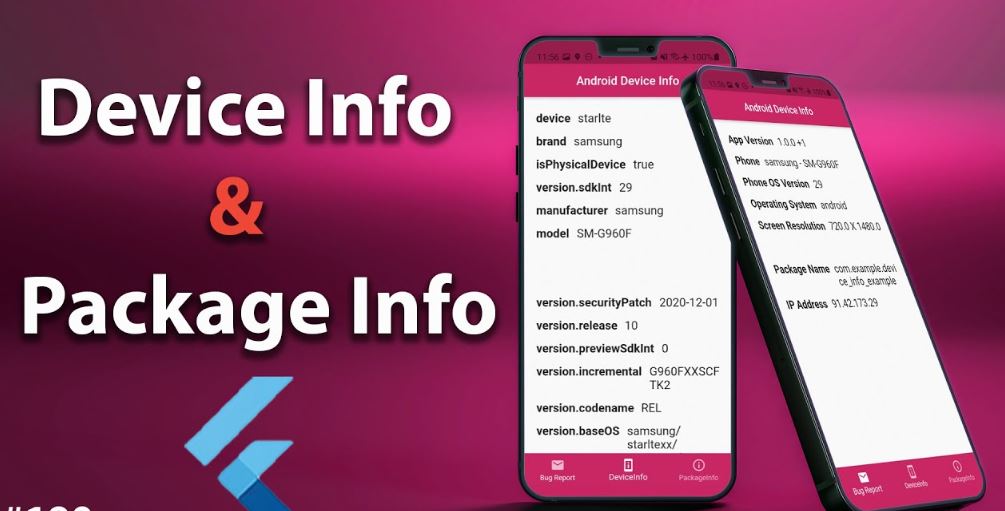
How to get Device info in Flutter
The first goal for any developer should be to create apps that are compatible with as many devices as possible. It’s possible that occasionally our application won’t function on certain devices; in such cases, it’s ideal to collect device information. in order for developers to easily track and solve bugs using that log report. Using…
-

Top 50 Linux Commands You MUST Know
The Top 50 Linux Commands Every Regular User Needs to Know Let’s now examine each of these instructions in greater detail and go a little further into them. There are numerous articles already available for each of those specific commands. We will continue to update the page when new topics are discussed and provide links…
-

How to Protect and Secure PHPMyAdmin in Production Server?
What is phpMyAdmin? A cross-platform, free, open-source, and PHP-based web programme called phpMyAdmin provides a straightforward, robust, and practical browser-based graphical user interface (GUI) for working with MySQL databases. It simplifies the process of establishing, maintaining and configuring MySQL databases simpler and much more efficiently. Why Secure phpMyAdmin? Developers and system administrators use phpMyAdmin extensively…
-
Flutter pub get version solving failed
A mismatch between the Dart SDK version installed on your machine and the version indicated in your pubspec.yaml file is usually the cause of the error “Flutter pub get version solving failed”. You must change the Dart SDK version in your pubspec.yaml file to correspond with the version that is installed on your computer in…
-

Error: Type ‘Completer’ not found. Error in latest flutter version : Flutter 1.17.0 • channel stable
Error: Sulotion: It is evident from the error message that the Completer class cannot be located. Since this class is a component of the dart:async library, import it first in your Dart file: A version mismatch between your Flutter SDK and the dart:async library may be the cause of the problem if you have already…
-
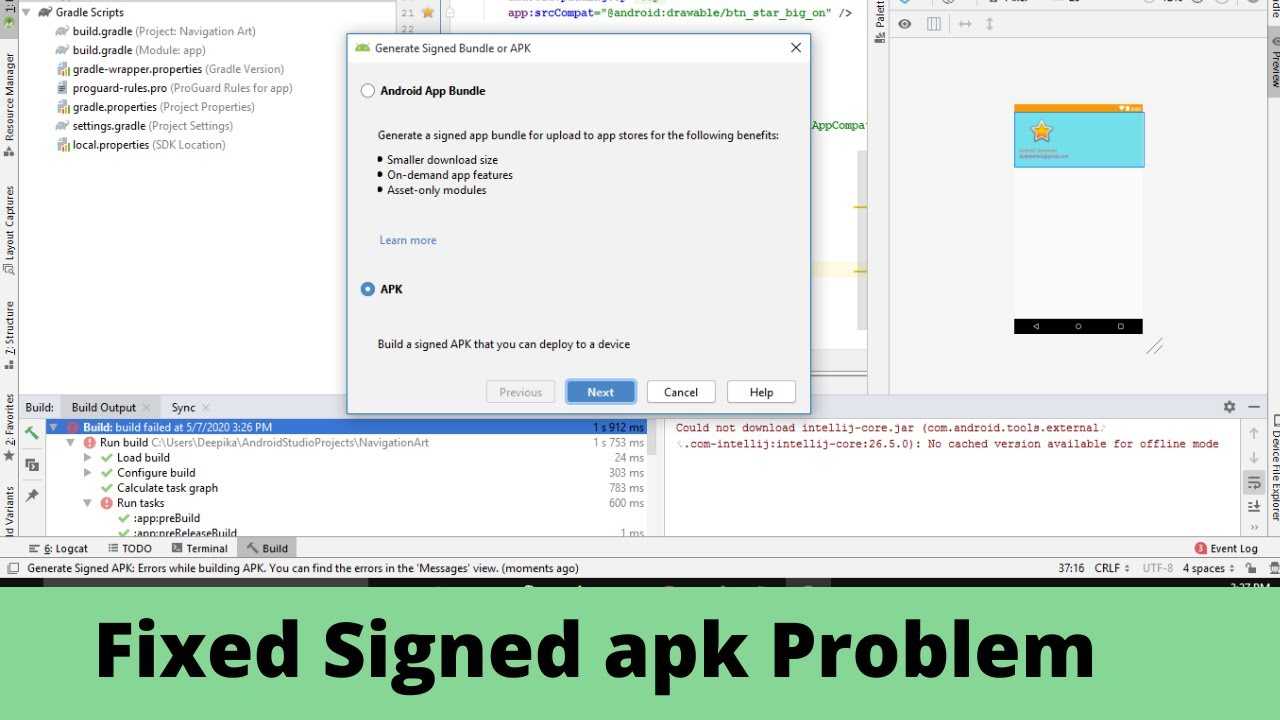
Generate Signed APK: Errors while building APK. You can find the errors in the ‘Messages’ view
Error: Solution: This line makes it quite evident that sat cannot download groovy-all.jar. This is your build, please add.Gradle Occasionally, a lousy or inadequate internet connection may be the cause. Do you have an internet connection?
-

Flutter doctor –> Android toolchain – develop for Android devices (Android SDK version 32.1.0-rc1)
Error: Solution: 2- if a build-tools (version number) exception appears,
Follow Us
-

Bridging Quantum Computing and Practical IT Operations: A Guide for Technologists and Organizations
-
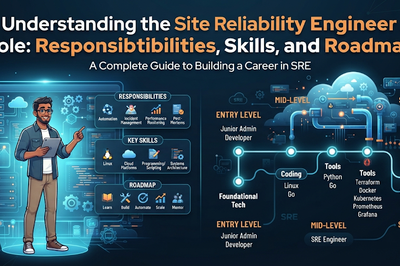
Understanding the Site Reliability Engineer Role: Responsibilities, Skills, and Roadmap
-

Site Reliability Engineering in Practice: Building Reliable and Resilient Software Systems
-

Street Beats, Big Talks, and Smooth Passes With MyEventsNow EU
-
Bridging Quantum Computing and Practical IT Operations: A Guide for Technologists and Organizations
-
Understanding the Site Reliability Engineer Role: Responsibilities, Skills, and Roadmap
-
Site Reliability Engineering in Practice: Building Reliable and Resilient Software Systems
-
Street Beats, Big Talks, and Smooth Passes With MyEventsNow EU
-
Smart Teams Make Better Choices With SLO-Based Thinking