Uncategorized
-

Laravel Security: Upload, Store, and Download files with privacy restrictions in Laravel part 3
Insecure Permissions: Insecure Permissions Vulnerability: Scenario: Insecure permissions occur when web server directories are not correctly configured with the least privileges. If an attacker can upload files to a directory that is incorrectly configured with excessive write or execute permissions, the attacker may be able to upload malicious files (e.g., PHP shells, scripts, etc.) and…
-
Laravel Security: Upload, Store, and Download files with privacy restrictions in Laravel part 2
2. Directory Traversal: Fix: Ensure that file upload paths are constrained to safe, non-executable directories. Use functions like realpath() to get the absolute path and prevent directory traversal. Directory Traversal Exploits: If the file upload functionality is not properly sandboxed, a hacker may exploit it to navigate through directories and upload files to sensitive parts…
-
Laravel Security: Upload, Store, and Download files with privacy restrictions in Laravel part 1
Here are common reasons and potential vulnerabilities that might have been exploited: 1. File Upload Vulnerability: Imagine a web application that allows users to upload images, such as .jpg or .png files. However, the application only validates the file extension (e.g., .jpg, .png) without checking the MIME type or scanning the file contents. A malicious…
-
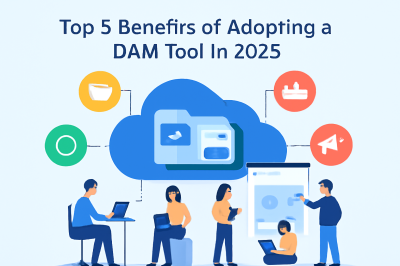
Top 5 Benefits of Adopting a DAM Tool in 2025
In 2025, the volume of digital content businesses create is reaching new heights, with images, videos, documents, and other assets being generated at a staggering pace. As the need for content grows, so does the challenge of managing it effectively. Digital Asset Management (DAM) tools are the solution businesses need to handle this influx of…
-

DAM Platforms Demystified: A Comprehensive Guide for First-Time Buyers
In the digital age, businesses are constantly generating vast amounts of content. From promotional materials and images to videos and documents, managing this content effectively is becoming increasingly complex. This is where Digital Asset Management (DAM) platforms step in. However, for first-time buyers, the variety of features and options can be overwhelming. In this comprehensive…
-
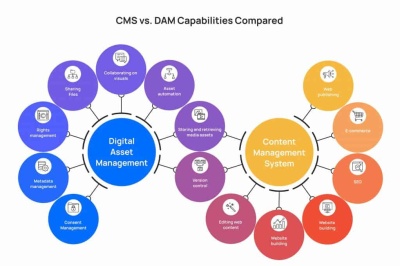
Is Your Business Ready for DAM? Here’s Why It Matters
In today’s highly competitive and fast-paced digital world, managing vast amounts of digital content is more challenging than ever. Businesses are dealing with an increasing number of digital assets, from images and videos to marketing documents and product catalogs. Without an efficient way to organize, store, and retrieve these assets, companies can quickly find themselves…
-
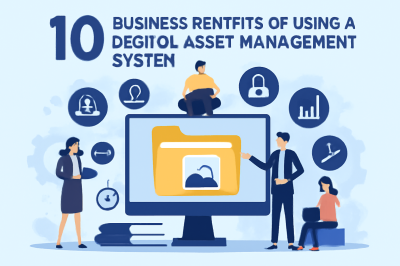
10 Business Benefits of Using a Digital Asset Management System
In the fast-paced world of digital marketing and content management, businesses are faced with the challenge of handling an overwhelming amount of digital content. Whether it’s images, videos, documents, or other types of media, efficiently organizing and retrieving these assets becomes crucial for operational efficiency. This is where a Digital Asset Management (DAM) system comes…
-
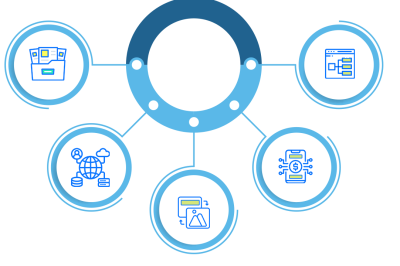
How to Select the Best DAM Platform for Long-Term Results
In today’s digital-driven world, marketing teams and content creators face the challenge of managing a vast array of digital assets. Whether it’s images, videos, documents, or other forms of media, organizing, storing, and sharing these assets effectively is crucial for maintaining productivity and consistency across all campaigns. This is where Digital Asset Management (DAM) platforms…
-
Top-Rated DAM Tools Every Marketing Team Should Know
In the fast-evolving world of digital marketing, managing a growing collection of digital assets such as images, videos, documents, and more can become overwhelming. Marketing teams need a solution that allows for easy storage, management, and retrieval of these assets. This is where Digital Asset Management (DAM) tools come into play. These tools provide a…
-
Speed Up Load Times and Rankings with Smarter Asset Optimization
In the world of digital marketing, content performance is crucial. Website speed not only affects user experience but also plays a significant role in SEO rankings. Slow-loading pages lead to frustrated visitors, high bounce rates, and lower conversions. More importantly, search engines like Google increasingly prioritize website speed as part of their ranking algorithm. If…
-
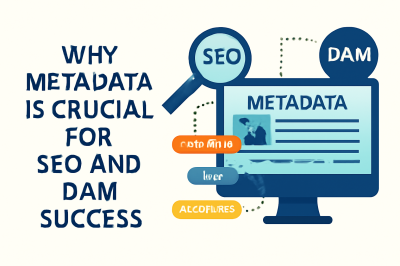
Why Metadata Is Crucial for SEO and DAM Success
In today’s fast-paced digital world, content management and search engine optimization (SEO) go hand in hand. As businesses generate vast amounts of digital content daily, it is critical for this content to be both easily discoverable and well-organized. Metadata plays a pivotal role in this process. Whether you’re a digital marketer, content manager, or SEO…
-
How DAM Software Helps Your Visual Content Rank Better on Google
In today’s digital-first world, visual content is a cornerstone of successful marketing and SEO strategies. Images, infographics, and videos not only capture audience attention but also play a crucial role in how your brand is discovered online. However, managing and optimizing these assets for search engines can be a daunting task for digital marketers, content…
-

Secure, Scalable, Smart: DAM Best Practices for Modern Teams
In today’s digital landscape, marketing and content teams are under constant pressure to produce, manage, and deliver a growing volume of digital assets—images, videos, documents, and creative files—across multiple channels. Without a strategic system in place, these assets can become disorganized, leading to inefficiencies, security risks, and missed opportunities. Digital Asset Management (DAM) has emerged…
-
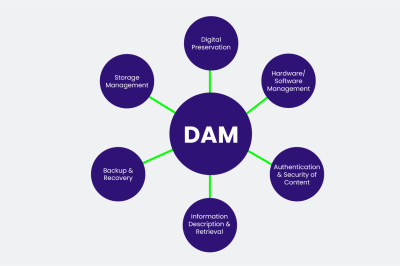
Metadata in DAM: Unlocking Smarter Search and Asset Tracking
Managing digital assets can become a daunting task when dealing with large volumes of content. Whether it’s images, videos, audio files, or documents, organizing and finding these assets quickly and efficiently is essential for businesses. This is where Metadata in Digital Asset Management (DAM) systems comes into play. By providing a way to describe and…
-
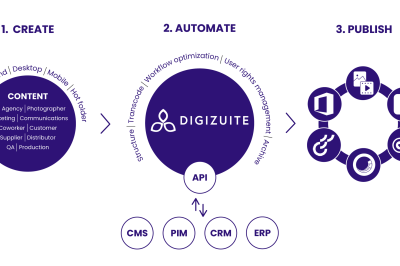
How to Migrate from Traditional Storage to a DAM Solution — Step-by-Step
In the digital age, organizations are inundated with a massive volume of content — from images and videos to documents and audio files. As businesses grow, the challenge of managing these digital assets effectively becomes more complex. Traditional storage methods, such as file servers or cloud storage, may have served their purpose initially but often…
-
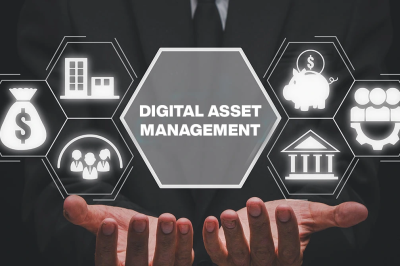
How to Choose and Set Up the Right DAM System for Your Business
In the digital era, businesses are inundated with a growing volume of images, videos, documents, and creative assets. Without a structured approach to managing these files, teams can quickly become overwhelmed, leading to inefficiencies, lost assets, and inconsistent branding. For digital marketers, content creators, and SEO professionals, a well-implemented Digital Asset Management (DAM) system is…
-

How 5G Will Boost Efficiency and Collaboration in Digital Asset Management
The rollout of 5G technology is ushering in a new era of connectivity, speed, and innovation for digital teams worldwide. As organizations strive to manage ever-growing volumes of digital content—ranging from high-resolution images to immersive video and interactive media—the capabilities of Digital Asset Management (DAM) platforms are being put to the test. For digital marketers,…
-

Why Cloud Storage is the Future of Digital Asset Management for Digital Teams
In today’s digital landscape, marketing and content teams are tasked with managing an ever-growing library of images, videos, documents, and creative files. The need for a streamlined, accessible, and secure solution has never been greater. This is why cloud-based Digital Asset Management (DAM) systems have become the preferred choice for digital teams aiming for efficiency,…
-

How AI Improves Tagging, Search, and Collaboration in Digital Asset Management
In the digital era, organizations are generating and managing more content than ever before. With thousands of images, videos, documents, and creative files circulating between teams, the challenge of efficiently organizing and retrieving these assets has grown exponentially. This is where Artificial Intelligence (AI) is making a transformative impact in Digital Asset Management (DAM). For…
-

Using Guzzle promises asyncronously
In Guzzle (the underlying HTTP client library that Laravel’s HTTP client is built on), GuzzleHttp\Promise is the component that implements the Promises/A+ specification. In practice, it lets you work with HTTP requests (and any other asynchronous tasks) in a non‑blocking, “promise‑based” fashion: How it fits into Laravel Laravel’s fluent HTTP client (Illuminate\Support\Facades\Http) is a thin…

Follow Us
Recent Posts
- How SRE Managers Lead Reliability Programs Across Organizations
- Smart Guide To Baby Dreams With IvfHospitalsNow

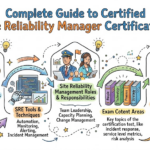
- Complete Guide to Certified Site Reliability Manager Certification
- Awesome City Play And Joyful Weekends With HyderabadOrbit

- Career Growth After Certified Site Reliability Architect Certification

Categories
- access 1
- Administration 1
- AIOps 1
- Apache 2
- API 3
- App 7
- Application 1
- Bottom 1
- class 1
- CLI 1
- Client 1
- Commands 3
- Composer 1
- Container 1
- daemon 1
- Database 1
- DevOps 2
- DevSecOps 2
- Docker 3
- dropdown 1
- Encryption 1
- Error 1
- features 1
- Flutter 20
- Form 2
- Gateway 1
- Google 2
- google play console 2
- Google verification 1
- install 1
- Integrate 1
- Key 2
- lampp 1
- Laravel 19
- linux 5
- List 1
- MaterialApp 1
- Medical Tourism 1
- MLOps 2
- Motoshare 1
- MySQL 4
- NavigationBar 1
- Navigator 2
- package 1
- Payment 2
- Paypal 1
- Performance 1
- PHP 3
- phpmyadmin 7
- PID 1
- Ping 1
- Play Store 2
- PONG 1
- port 1
- ProFTPD 1
- Redis 1
- root 1
- running 1
- search 1
- Security 2
- server 3
- SRE 2
- subtype 1
- Troubleshooting 2
- ubuntu 1
- ui 1
- Uncategorized 690
- Unhandled 1
- Validation 2
- value 1
- WakilSahab.in 1
- widgets 2
- Windows 2
- XAMPP 5
- YouTube 1
Tags
#AssetManagement #Automation #CloudComputing #CloudEngineering #CloudInfrastructure #CloudNative #ContentManagement #DAM #DAMSoftware #DevOps #DevOpsCertification #DevOpsSchool #DevSecOps #DigitalAssetManagement #DigitalAssets #InfrastructureAsCode #ITCertification #Kubernetes #PlatformEngineering #RajeshKumar #ReliabilityEngineering #SEOManagement #SiteReliabilityEngineering #SRE #SRECertification #Sreschool #SystemReliability #TechCareers #Wizbrand Laravel