Uncategorized
-
![SQLSTATE[01000]: Warning: 1265 Data truncated for column](https://www.sreschool.in/wp-content/uploads/2025/06/Screenshot_13-1.png.c77294b451c84327f50fbca013325f4e-1-400x266.png)
SQLSTATE[01000]: Warning: 1265 Data truncated for column
Error: Solution : Change the id column in oauth_clients to UUID-compatible type CHAR(36) Step 1: Open MySQL CLI or phpMyAdmin Then run the following SQL: Step 2: Confirm that id is now UUID-compatible Run this in MySQL: Expected result: Step 3: Run Laravel Passport command again
-
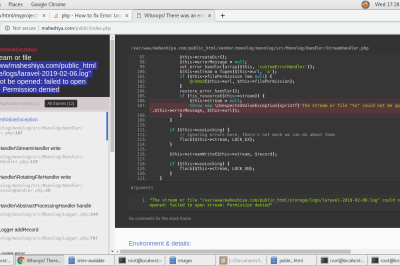
file_put_contents(…) Failed to open stream: Permission denied
Error: Solution: Fix Folder Permissions Step 1: Set correct permissions for storage and bootstrap/cache directories Run this from your Laravel project root: This gives read/write/execute permission to the owner and group, and read/execute to others. Step 2: Set correct ownership (especially on Linux/XAMPP) If you’re using XAMPP on Linux, Apache usually runs as daemon or…
-
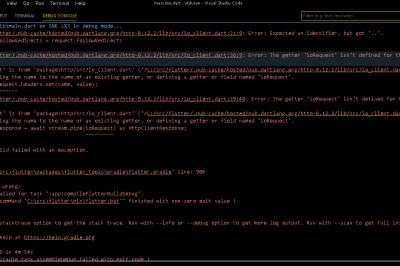
Android and iOS Build Failure ( The getter ‘COINIT’ isn’t defined for the class ‘FilePickerWindows’
Error Solution You’re seeing a compilation error caused by the file_picker package version 8.0.5 using undefined constants like COINIT and WIN32_ERROR. These constants are provided by the win32 package, but your current setup doesn’t support it. ❌ Root Problem ✅ Recommended Fix: Downgrade file_picker to 6.1.1 Edit your pubspec.yaml: Then run: ✅ Version 6.1.1 doesn’t…
-

2025 Digital Asset Management: The Trends That Will Define the Future
As we move into 2025, businesses are experiencing a significant shift in the way they handle and manage digital assets. Digital Asset Management (DAM) systems have evolved from simple storage solutions into powerful tools that enable organizations to streamline workflows, improve collaboration, and ensure seamless content distribution. As digital content continues to grow exponentially, the…
-

Secure and Efficient: How DAM Transforms Healthcare Content Handling
In the healthcare sector, content security and management are of the utmost importance. Healthcare organizations handle an enormous amount of sensitive data daily, including patient medical records, diagnostic images, research papers, and compliance documents. Efficiently managing this digital content is not just a convenience—it’s a necessity to ensure patient care, compliance, and the smooth running…
-
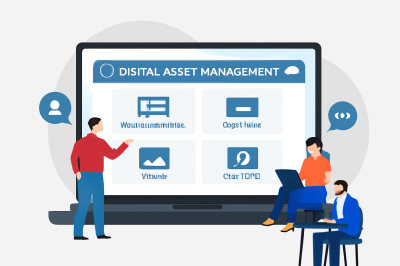
How Digital Asset Management Drives Faster Content Creation in Entertainment
In the fast-paced world of media and entertainment, time is a precious commodity. From film and television production to digital marketing campaigns, content creation involves a massive volume of digital assets, including videos, images, audio files, and graphics. The sheer amount of content being produced on a daily basis requires an organized system to manage…
-

Boosting E-commerce Success: Why DAM Software Is Essential for Managing Visuals
In the competitive world of e-commerce, visuals are everything. From high-resolution product images to engaging promotional videos, visual content is the primary driver of consumer engagement and purchasing decisions. However, as e-commerce businesses expand, managing a growing library of digital assets—images, videos, and infographics—becomes increasingly challenging. This is where Digital Asset Management (DAM) software comes…
-
Best Solution: Use Shared Database Session Storage Across All Laravel Services
This is the simplest, most reliable, production-ready alternative to Redis and works perfectly for microservices under the same domain. 🎯 Why this is the Best Fit ✅ Step-by-Step Setup: Laravel Session Sharing via Database 🔧 1. Use a Shared Database (or a shared sessions table) between all microservices Let’s say you have a database called…
-
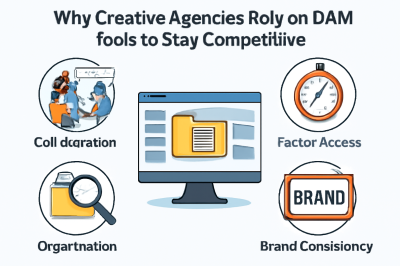
Unlocking Efficiency: Why Creative Agencies Choose DAM Solutions
In the fast-paced and competitive world of creative agencies, the demand for efficiency, organization, and seamless collaboration is more critical than ever. Creative teams are often juggling multiple projects at once, each involving a significant amount of digital content, from photos and videos to marketing collateral and design assets. With so much at stake, managing…
-

Top DAM Solutions for Agencies, Startups, and Enterprises: A Comprehensive Guide
In today’s digital-first world, businesses are overwhelmed with vast amounts of digital content—images, videos, documents, presentations, and more. With growing demands for content production and collaboration, effectively managing this content has become a fundamental challenge for organizations of all sizes. Whether you’re a small agency, a nimble startup, or a large enterprise, managing your digital…
-

Open Source vs Paid DAM Solutions: A Comprehensive Comparison
In today’s fast-paced digital world, businesses are inundated with an overwhelming amount of content—images, videos, documents, and other media files. Managing and organizing these assets effectively is crucial for teams to work efficiently and remain competitive. This is where Digital Asset Management (DAM) tools come into play. They help centralize, organize, and streamline access to…
-
The Ultimate Guide to Choosing the Best Digital Asset Management Software in 2025
In 2025, the digital marketing landscape is more dynamic than ever, with brands producing and distributing vast amounts of content across multiple platforms. For marketers, content teams, and SEO professionals, efficiently managing digital assets is crucial to maintaining brand consistency, speeding up campaign delivery, and maximizing the value of every creative resource. Digital Asset Management…
-

Real Business Wins: The ROI Benefits of Implementing DAM Software
In the fast-paced digital world, content is the backbone of most businesses, especially for marketing teams and content creators. However, as digital content production scales, managing and organizing digital assets—images, videos, documents, and more—becomes increasingly complex. This disorganization can lead to wasted time, redundant efforts, and an overall decrease in productivity, ultimately impacting Return on…
-
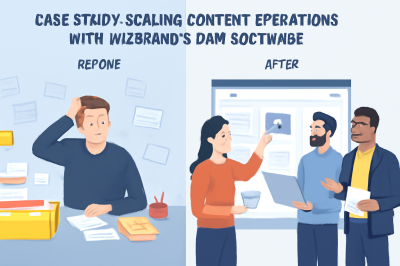
Case Study: Scaling Content Operations with Wizbrand’s DAM Software
In the digital age, content is king. However, managing large volumes of digital content efficiently is a significant challenge for marketing and content teams. Without a robust system in place, organizations often struggle to keep track of assets, leading to inefficiencies, missed deadlines, and inconsistencies. This case study explores how Wizbrand, a leading Digital Asset…
-

“Streamline Your Team’s Digital Asset Management with Wizbrand”
In today’s digital world, effective asset management is a critical challenge for content teams, marketers, and SEO professionals. With an ever-increasing volume of digital files—images, videos, documents, and more—teams are often overwhelmed by the need to organize, retrieve, and manage these assets efficiently. The lack of a streamlined system can result in inefficiencies, wasted time,…
-

How Inefficient Asset Management Costs Your Team Time and Money
In today’s fast-paced digital environment, managing assets efficiently is crucial for the success of any marketing or content-driven business. When teams struggle to store, organize, and retrieve digital content, they waste valuable time and resources. This inefficiency not only hampers productivity but also increases costs. In this blog post, we will explore the detrimental impact…
-

Feeling Buried in Files? Here’s Why You Need a DAM Solution
In today’s digital-first world, managing and organizing digital assets can feel like an overwhelming task. Whether it’s images, videos, presentations, or documents, your digital content is a key part of your marketing and business strategies. However, as the number of assets grows, so does the complexity of managing them effectively. If your team spends more…
-
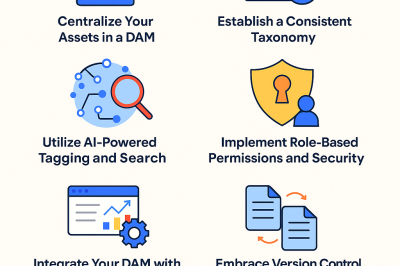
Feeling Buried in Files? Here’s Why You Need a DAM Solution
In the fast-paced digital age, the amount of content businesses generate is continuously growing. From high-resolution product images to engaging videos and documents, digital assets are at the core of most marketing, sales, and content operations. However, managing these assets can quickly become a cumbersome task without the right tools in place. If your team…
-
Digital Asset Organization: Pro Tips for 2025 and Beyond
In the ever-expanding digital landscape, organizing digital assets effectively has become a critical factor for marketing success. As content volumes surge and teams grow increasingly distributed, digital marketers, SEO professionals, and content creators face the challenge of managing their assets efficiently while maintaining agility and collaboration. The year 2025 and beyond demands smarter, more streamlined…
-
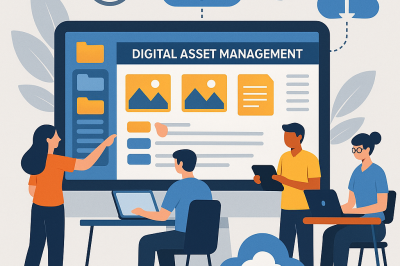
Digital Asset Organization: Pro Tips for 2025 and Beyond
In today’s digital-first era, content is the lifeblood of every marketing strategy. For digital marketers, SEO professionals, and content teams alike, managing the explosion of digital assets effectively has become a vital challenge. Without a streamlined approach to organizing your digital assets, even the most creative strategies risk falling flat due to delays, miscommunication, and…

Follow Us
Recent Posts
- How SRE Managers Lead Reliability Programs Across Organizations
- Smart Guide To Baby Dreams With IvfHospitalsNow

- Complete Guide to Certified Site Reliability Manager Certification
- Awesome City Play And Joyful Weekends With HyderabadOrbit

- Career Growth After Certified Site Reliability Architect Certification

Categories
- access 1
- Administration 1
- AIOps 1
- Apache 2
- API 3
- App 7
- Application 1
- Bottom 1
- class 1
- CLI 1
- Client 1
- Commands 3
- Composer 1
- Container 1
- daemon 1
- Database 1
- DevOps 2
- DevSecOps 2
- Docker 3
- dropdown 1
- Encryption 1
- Error 1
- features 1
- Flutter 20
- Form 2
- Gateway 1
- Google 2
- google play console 2
- Google verification 1
- install 1
- Integrate 1
- Key 2
- lampp 1
- Laravel 19
- linux 5
- List 1
- MaterialApp 1
- Medical Tourism 1
- MLOps 2
- Motoshare 1
- MySQL 4
- NavigationBar 1
- Navigator 2
- package 1
- Payment 2
- Paypal 1
- Performance 1
- PHP 3
- phpmyadmin 7
- PID 1
- Ping 1
- Play Store 2
- PONG 1
- port 1
- ProFTPD 1
- Redis 1
- root 1
- running 1
- search 1
- Security 2
- server 3
- SRE 2
- subtype 1
- Troubleshooting 2
- ubuntu 1
- ui 1
- Uncategorized 690
- Unhandled 1
- Validation 2
- value 1
- WakilSahab.in 1
- widgets 2
- Windows 2
- XAMPP 5
- YouTube 1
Tags
#AssetManagement #Automation #CloudComputing #CloudEngineering #CloudInfrastructure #CloudNative #ContentManagement #DAM #DAMSoftware #DevOps #DevOpsCertification #DevOpsSchool #DevSecOps #DigitalAssetManagement #DigitalAssets #InfrastructureAsCode #ITCertification #Kubernetes #PlatformEngineering #RajeshKumar #ReliabilityEngineering #SEOManagement #SiteReliabilityEngineering #SRE #SRECertification #Sreschool #SystemReliability #TechCareers #Wizbrand Laravel