Dharmendra Kumar, Senior Software Engineer & Co founder at MyhospitalNow
-

How to Make Navigation from One Screen to Other in Flutter.
Simply follow the steps below to navigate from one screen to the next:- Step 1: Create two new files with the name “home” as the first step.Dart and elsewhere. Step 2: Import the material into main.dart now.Dart package library and home.dart are both used. See the photo below. Step 3: We now call the main()…
-
![[SOLVED] Unhandled Exception: Navigator operation requested with a context that does not include a Navigator.](https://www.sreschool.in/wp-content/uploads/2023/09/maxresdefault.jpg)
[SOLVED] Unhandled Exception: Navigator operation requested with a context that does not include a Navigator.
This happens because when you do Navigator.of(context), it will start from the widget associated to the context used. And then go upward in the widget tree until it either find a Navigator or there’s no more widget. So, it throws an Error Navigator operation requested with a context that does not include a Navigator. So, how…
-

How to Check if an application is on its first run or One time Intro Screen with Flutter.
If you wish to show the intro screen only for the first time, you will need to save locally that this user has already seen intro. For such thing you may use Shared Preference. There is a flutter package Shared Preferences which you can use. Please refer to the below complete tested code to understand how to…
-
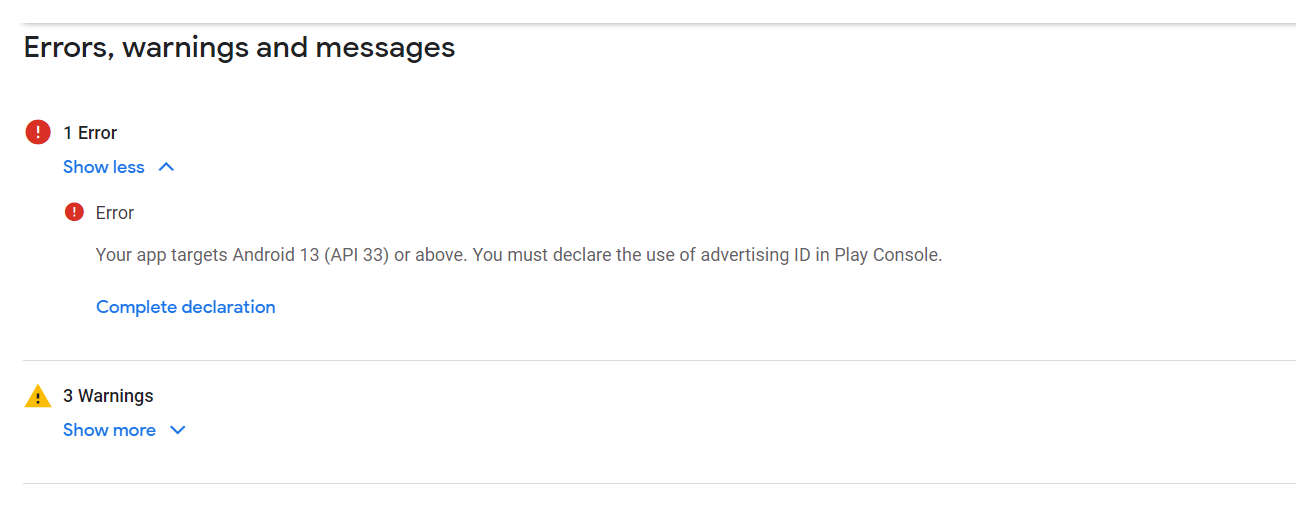
Your app targets Android 13 (API 33) or above. You must declare the use of advertising ID in Play Console.
Error Solution Step 1: Click Complete declaration Step 2: Choose your app(Does your app use an advertising ID? NO and Yes) Step 3: Click No, The Problem is solved
-

Form Validation in Flutter
Every application needs to have form validation. There are other ways to validate forms in the flutter application, for as by utilising a TextEditingController. However, managing text controllers for each input can get complicated in large applications. As a result, Form offers us a practical method for verifying user inputs. Although the condition is applied…
-
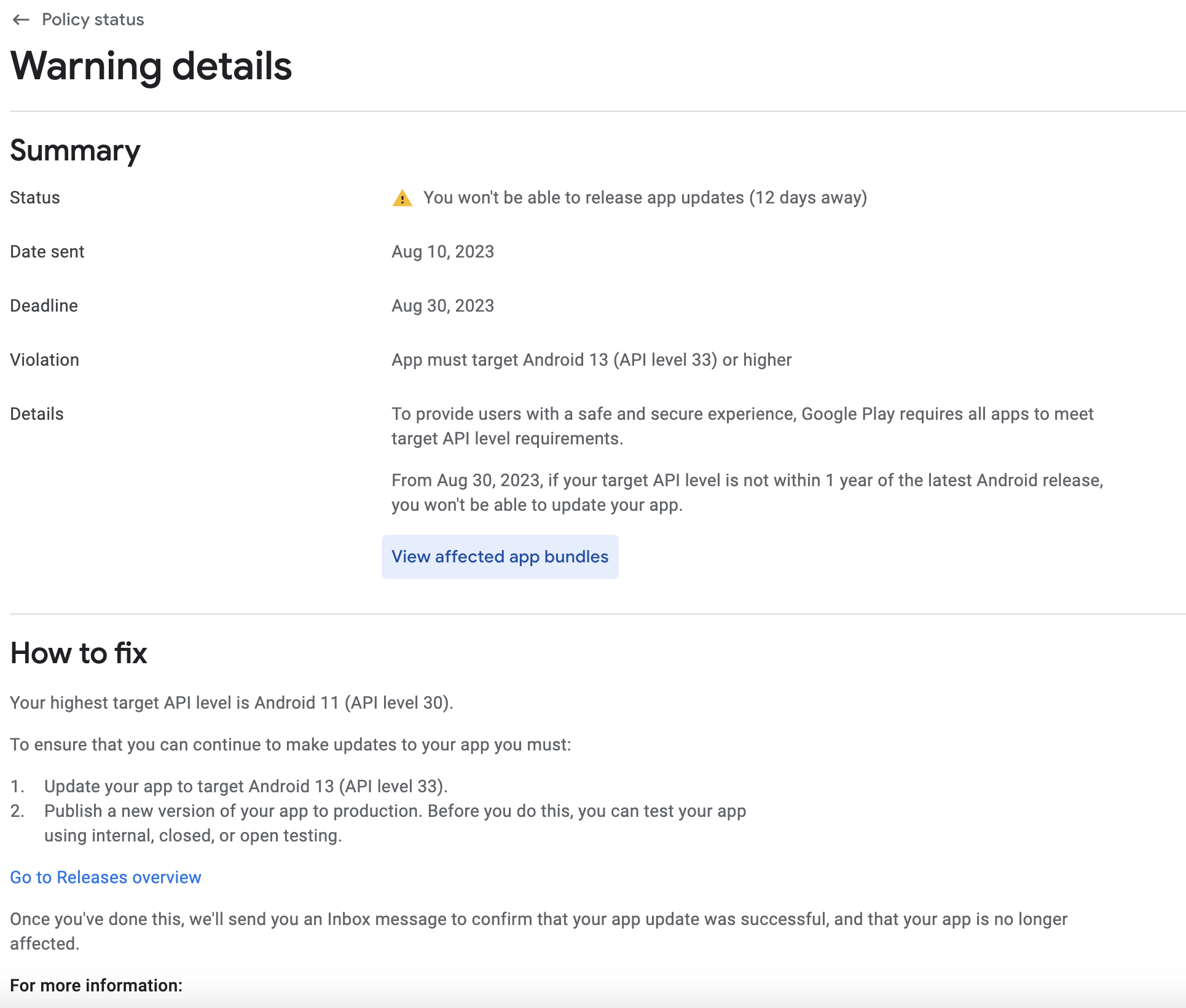
Your app currently targets API level 31 and must target at least API level 33 to ensure it is built on the latest APIs
Error Solution: Step 1: Got to your project pubspec.yaml file and change version Step 2: Got to your project terminal and run this command flutter pub get Step 3: Got to your project terminal and run this command flutter clean Step 4: Got to your project terminal and run this command Step 5: Open your…
-
![[ERROR: flutter/runtime/dart_vm_initializer.cc(41)] Unhandled Exception: type ‘List’ is not a subtype of type ‘FutureOr’](https://www.sreschool.in/wp-content/uploads/2023/09/image-15.png)
[ERROR: flutter/runtime/dart_vm_initializer.cc(41)] Unhandled Exception: type ‘List’ is not a subtype of type ‘FutureOr’
Error It looks like the error you’re encountering is due to a type mismatch between the return type of your getDoctors function and the expected return type when setting the doctors state. You’re trying to set a list (List) to the doctors state, but the function is declared to return a Future. To resolve this…

Follow Us
Recent Posts
- Accelerating Enterprise Software Delivery Through Advanced Infrastructure Automation
- Establishing Global Systems Infrastructure Excellence Through Strategic Architecture and Leadership Mentorship

- Complete Beginner Guide to SRE Principles and Practices Explained
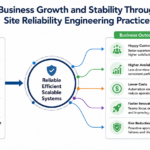
- Business Growth and Stability Through Site Reliability Engineering Practices
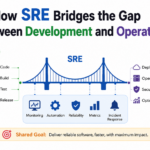
- How SRE Bridges the Gap Between Development and Operations
Categories
- access 1
- Administration 1
- AIOps 1
- Apache 2
- API 3
- App 7
- Application 1
- Bottom 1
- class 1
- CLI 1
- Client 1
- Commands 3
- Composer 1
- Container 1
- daemon 1
- Database 1
- DevOps 2
- DevSecOps 2
- Docker 3
- dropdown 1
- Encryption 1
- Error 1
- features 1
- Flutter 20
- Form 2
- Gateway 1
- Google 2
- google play console 2
- Google verification 1
- install 1
- Integrate 1
- Key 2
- lampp 1
- Laravel 19
- linux 5
- List 1
- MaterialApp 1
- Medical Tourism 1
- MLOps 2
- Motoshare 1
- MySQL 4
- NavigationBar 1
- Navigator 2
- package 1
- Payment 2
- Paypal 1
- Performance 1
- PHP 3
- phpmyadmin 7
- PID 1
- Ping 1
- Play Store 2
- PONG 1
- port 1
- ProFTPD 1
- Redis 1
- root 1
- running 1
- search 1
- Security 2
- server 3
- SRE 2
- subtype 1
- Troubleshooting 2
- ubuntu 1
- ui 1
- Uncategorized 582
- Unhandled 1
- Validation 2
- value 1
- WakilSahab.in 1
- widgets 2
- Windows 2
- XAMPP 5
- YouTube 1
Tags
#AssetManagement #BuildAutomation #CloudComputing #CloudEngineering #CloudNative #CloudSecurity #ContentManagement #DAM #DAMSoftware #DevOps #DevOpsCareer #DevOpsCertification #DevOpsSchool #DevOpsTraining #DevSecOps #DigitalAssetManagement #DigitalAssets #InfrastructureAutomation #PlatformEngineering #RajeshKumar #ReliabilityEngineering #SEO #SEOManagement #SiteReliabilityEngineering #SRE #Wizbrand Bike Laravel Launches Services