Dharmendra Kumar, Senior Software Engineer & Co founder at MyhospitalNow
-
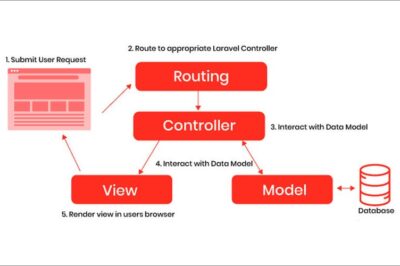
How to Improve Performance in a Laravel Codebase (With Practical Examples)
Laravel is powerful, but as a project grows, performance can drop because of slow queries, extra API calls, heavy views, unnecessary middleware, and poor caching. The good news is: Laravel performance can be improved a lot without changing the whole system, just by fixing the right bottlenecks. Why Laravel Projects Become Slow Most Laravel performance…
-

How to Improve Website Performance: A Complete Practical Guide
Website performance plays a very important role in today’s digital world. A slow website not only frustrates users but also affects search engine rankings, conversions, and overall brand trust. Whether you run a blog, business website, or an online platform, improving website performance is essential for long-term success. Why Website Performance Matters Website performance is…
-
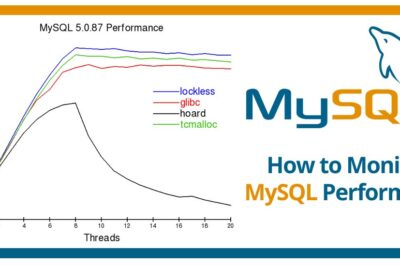
phpMyAdmin + Performance Schema: How to Check, Enable, and Use It for MySQL Performance Monitoring
When your application starts slowing down, database queries are often the hidden reason behind performance issues. Tools like phpMyAdmin and MySQL Performance Schema help you look inside the MySQL engine and understand exactly what is happening.Whether you’re working with Laravel, PHP, WordPress, or any custom backend, Performance Schema is one of the most powerful tools…
-

MySQL Slow Query Log: A Complete Guide to Finding and Fixing Slow Database Queries
Database performance directly impacts the speed, scalability, and user experience of any web application. Whether you are working on a Laravel project, an e-commerce platform, or a microservices ecosystem, slow SQL queries can silently become the biggest bottleneck.MySQL provides a powerful built-in feature called the Slow Query Log that helps developers detect performance issues at…
-

How to Install Keycloak on Windows for Local Authentication
Step 1: Install Java JDK Step 2: Download and Extract Keycloak Step 3: Start XAMPP and MySQL Step 4: Configure Keycloak to Use XAMPP Database (optional but recommended) Step 5: Start Keycloak Step 6: Access Keycloak Console Notes
-
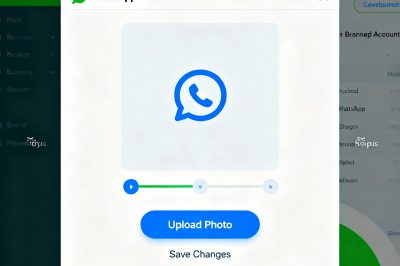
How to Set or Change Your WhatsApp Business Profile Image in Meta Developers (Facebook)
Having a professional and recognizable profile image for your WhatsApp Business account helps boost customer trust and makes your brand stand out. If you are using WhatsApp Business API—especially via Meta’s developer tools—you should know how to set or update your business profile photo from the Facebook Developers Console. Why Your WhatsApp Business Image Matters…
-
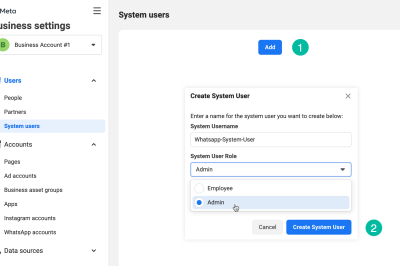
How to Generate a Permanent Access Token for WhatsApp Cloud API (Instead of Temporary Token)
When you set up WhatsApp Cloud API, the “Generate access token” option, by default, provides you with a temporary token. These temporary tokens typically expire in 23-24 hours, which is not practical for long-running systems or automations. For production API integrations, you need a permanent (never-expiring) access token. Below is a step-by-step guide to generate a…
-
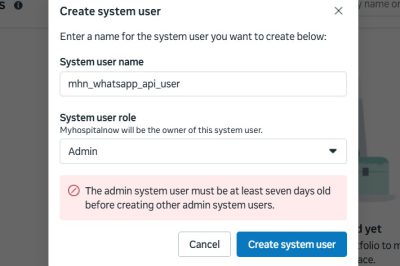
How to Resolve “Admin System User Must Be At Least Seven Days Old” Error When Creating Permanent WhatsApp Cloud API Tokens
Integrating WhatsApp Cloud API with your business applications requires a permanent (never-expiring) access token. For this, Meta (Facebook) requires you to generate the token through a “system user” in your Business Manager account. Many users, however, encounter a roadblock with this message: “The admin system user must be at least seven days old before creating other…
-

What are the steps to integrate Meta WhatsApp API with Laravel
1. Create Your Meta App & WhatsApp Business Account 2. Generate Access Token 3. Configure .env in Laravel Add these to your .env: textMETA_WA_TOKEN=your_long_live_access_token META_WA_PHONE_ID=your_phone_number_id META_WA_BASE=https://graph.facebook.com/v19.0/ 4. Add Guzzle HTTP (if not already textcomposer require guzzlehttp/guzzle 5. Create a Controller Method to Send WhatsApp Messages phppublic function sendMetaWhatsApp($recipientPhone, $message) { $endpoint = env(‘META_WA_BASE’) . env(‘META_WA_PHONE_ID’) .…
-
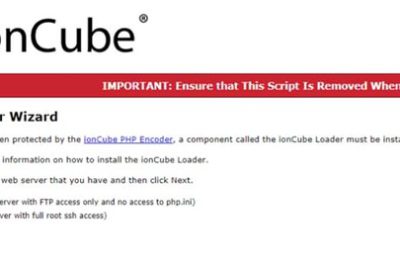
How to Install ionCube Loader on XAMPP/PHP 8.1 in Ubuntu WSL
How to Install ionCube Loader on XAMPP/PHP 8.1 in Ubuntu WSL IonCube Loader is a crucial PHP extension for running protected PHP code—especially with applications like phpListings. If you’re seeing a “Site error: the ionCube PHP Loader needs to be installed,” this tutorial will get your XAMPP server ready to run ionCube-encrypted applications using PHP…
-
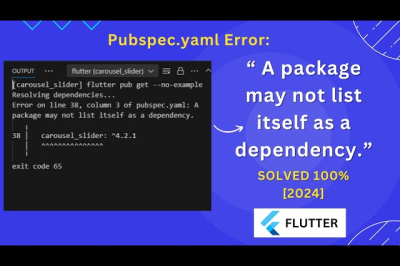
Flutter Error on line 6, column 5 of pubspec.yaml: A dependency may only have one source. sdk: flutter
Error: The error means that in your pubspec.yaml file, a dependency is specified incorrectly — each dependency can only have one source, like sdk or a version number, not both at the same time. Problem Explanation Solution: The dependencies should look like this:
-
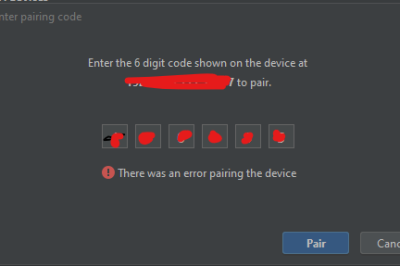
Wi-Fi Debug (ADB) – There was an error pairing the device
This error means Android Studio was not able to pair your mobile device with the computer using the 6-digit code over Wi-Fi. This issue is common and usually relates to either network settings, device configuration, or how pairing is being attempted. Solutions Type the pairing code when prompted. Then run:
-
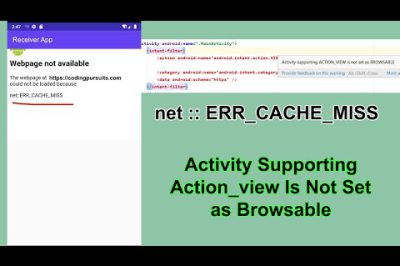
WebView showing ERR_CACHE_MISS on app production build
Error: The error message “web page not available” with the description “net::ERR_CACHE_MISS” typically occurs in Flutter apps that use the webview_flutter plugin when they are uploaded to the Play Store. This issue arises due to a security restriction in modern WebView implementations on Android. Make sure you are using the latest version of the webview_flutter…
-
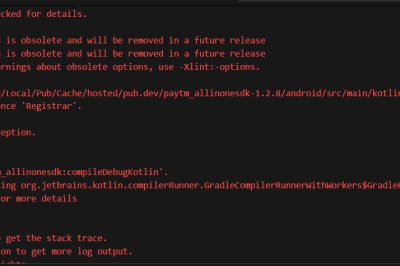
Flutter Build Fails: Registrar Not Found in razorpay_flutter & paytm_allinonesdk
Error: Solution: Try the Latest Version First, check your pubspec.yaml to make sure you are using the newest version of paytm_allinonesdk.Run this command in your terminal to upgrade: If you are already using the latest version (such as 1.2.8) and still see the error, it means the plugin is not yet properly migrated to work with the latest Flutter. 2. Check Plugin…
-

Cannot access localhost/phpmyadmin: (HY000/1130): Host ‘localhost’ is not allowed to connect to this MariaDB server
Error: A simple illustrated solution!: You can add skip-grant-tables to the my.ini file for the [mysqld] tag, under # The MySQL server, and restart the mysql server. You can now open phpmyadmin and go to the user table in the mysql database. Make sure that the value of the password attribute is empty and that the value of host attribute…
-
Laravel Security: Upload, Store, and Download files with privacy restrictions in Laravel part 9
Insecure Code Execution Vulnerability: An insecure code execution vulnerability arises when an application allows executing arbitrary code or system commands. If the application does not properly handle user inputs or files, an attacker could upload a malicious file (e.g., a PHP script) that can execute system commands on the server. For example, if an attacker…
-
Laravel Security: Upload, Store, and Download files with privacy restrictions in Laravel part 8
Lack of Logging and Monitoring Vulnerability: Without proper logging and monitoring mechanisms, malicious activities, such as uploading and executing harmful files, can go unnoticed. If an attacker uploads a malicious file (e.g., a PHP shell) and executes it on the server, it can lead to a full server compromise, data theft, or further exploitation. Without…
-
Laravel Security: Upload, Store, and Download files with privacy restrictions in Laravel part 7
Insecure PHP Configuration Vulnerability: Scenario: An insecure PHP configuration can occur when a directory that allows file uploads also permits the execution of PHP scripts. In particular, if the upload directory is within a web-accessible path, PHP files that are uploaded could be executed by the web server, potentially leading to the execution of malicious…
-
Laravel Security: Upload, Store, and Download files with privacy restrictions in Laravel part 6
Weak Authentication and Authorization Vulnerability: Scenario: Insecure or weak authentication and authorization mechanisms can allow attackers to bypass the normal security checks. This can lead to unauthorized users being able to upload files, or an attacker impersonating an authorized user to upload malicious files. A common example is a file upload functionality that does not…
-
Laravel Security: Upload, Store, and Download files with privacy restrictions in Laravel part 5
Improper Handling of HTTP Requests: CSRF (Cross-Site Request Forgery) Vulnerability Scenario: Cross-Site Request Forgery (CSRF) is a type of attack that tricks an authenticated user into performing an action without their consent. If a website does not implement proper CSRF protection, an attacker can craft a malicious request that, when executed by an authenticated user,…

Follow Us
Recent Posts
- Accelerating Enterprise Software Delivery Through Advanced Infrastructure Automation

- Establishing Global Systems Infrastructure Excellence Through Strategic Architecture and Leadership Mentorship

- Complete Beginner Guide to SRE Principles and Practices Explained

- Business Growth and Stability Through Site Reliability Engineering Practices
- How SRE Bridges the Gap Between Development and Operations

Categories
- access 1
- Administration 1
- AIOps 1
- Apache 2
- API 3
- App 7
- Application 1
- Bottom 1
- class 1
- CLI 1
- Client 1
- Commands 3
- Composer 1
- Container 1
- daemon 1
- Database 1
- DevOps 2
- DevSecOps 2
- Docker 3
- dropdown 1
- Encryption 1
- Error 1
- features 1
- Flutter 20
- Form 2
- Gateway 1
- Google 2
- google play console 2
- Google verification 1
- install 1
- Integrate 1
- Key 2
- lampp 1
- Laravel 19
- linux 5
- List 1
- MaterialApp 1
- Medical Tourism 1
- MLOps 2
- Motoshare 1
- MySQL 4
- NavigationBar 1
- Navigator 2
- package 1
- Payment 2
- Paypal 1
- Performance 1
- PHP 3
- phpmyadmin 7
- PID 1
- Ping 1
- Play Store 2
- PONG 1
- port 1
- ProFTPD 1
- Redis 1
- root 1
- running 1
- search 1
- Security 2
- server 3
- SRE 2
- subtype 1
- Troubleshooting 2
- ubuntu 1
- ui 1
- Uncategorized 582
- Unhandled 1
- Validation 2
- value 1
- WakilSahab.in 1
- widgets 2
- Windows 2
- XAMPP 5
- YouTube 1
Tags
#AssetManagement #BuildAutomation #CloudComputing #CloudEngineering #CloudNative #CloudSecurity #ContentManagement #DAM #DAMSoftware #DevOps #DevOpsCareer #DevOpsCertification #DevOpsSchool #DevOpsTraining #DevSecOps #DigitalAssetManagement #DigitalAssets #InfrastructureAutomation #PlatformEngineering #RajeshKumar #ReliabilityEngineering #SEO #SEOManagement #SiteReliabilityEngineering #SRE #Wizbrand Bike Laravel Launches Services