Dharmendra Kumar, Senior Software Engineer & Co founder at MyhospitalNow
-

Laravel Security: Upload, Store, and Download files with privacy restrictions in Laravel part 4
Unprotected Web Shells Vulnerability: A web shell is a malicious script uploaded by an attacker to a server that allows them to control the server remotely. If an attacker successfully uploads a PHP file to a server’s upload directory (or any accessible directory), they can use it as a web shell. A web shell often…
-
Laravel Security: Upload, Store, and Download files with privacy restrictions in Laravel part 3
Insecure Permissions: Insecure Permissions Vulnerability: Scenario: Insecure permissions occur when web server directories are not correctly configured with the least privileges. If an attacker can upload files to a directory that is incorrectly configured with excessive write or execute permissions, the attacker may be able to upload malicious files (e.g., PHP shells, scripts, etc.) and…
-
Laravel Security: Upload, Store, and Download files with privacy restrictions in Laravel part 2
2. Directory Traversal: Fix: Ensure that file upload paths are constrained to safe, non-executable directories. Use functions like realpath() to get the absolute path and prevent directory traversal. Directory Traversal Exploits: If the file upload functionality is not properly sandboxed, a hacker may exploit it to navigate through directories and upload files to sensitive parts…
-
Laravel Security: Upload, Store, and Download files with privacy restrictions in Laravel part 1
Here are common reasons and potential vulnerabilities that might have been exploited: 1. File Upload Vulnerability: Imagine a web application that allows users to upload images, such as .jpg or .png files. However, the application only validates the file extension (e.g., .jpg, .png) without checking the MIME type or scanning the file contents. A malicious…
-

“The zip extension and unzip/7z commands are both missing, skipping” in Windows during Composer install of Laravel
Error: Solution: 1. Solve the “Untracked Files” Issue: Git is unable to proceed with the checkout because untracked files would be overwritten. Follow these steps: Option 1: Stash or Commit Your Changes If you have untracked files or changes that are not yet committed, you should either stash or commit them to avoid losing them.…
-

How to generate GOOGLE_CLIENT_ID and GOOGLE_CLIENT_SECRET
To generate the values for: you must register your app with Google and set up OAuth 2.0 credentials. Here’s a complete guide: ✅ Step-by-Step: Generate Google OAuth Credentials 🔐 Step 1: Go to Google Cloud Console 🔗 Link: https://console.cloud.google.com/apis/credentials 🏗️ Step 2: Create / Select a Project 🔌 Step 3: Enable APIs 🔑 Step 4:…
-
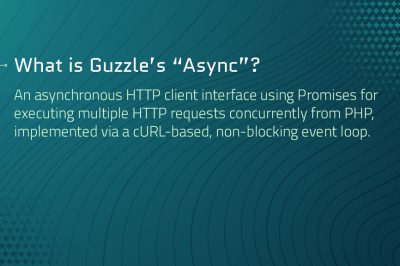
Using Guzzle promises asyncronously
In Guzzle (the underlying HTTP client library that Laravel’s HTTP client is built on), GuzzleHttp\Promise is the component that implements the Promises/A+ specification. In practice, it lets you work with HTTP requests (and any other asynchronous tasks) in a non‑blocking, “promise‑based” fashion: How it fits into Laravel Laravel’s fluent HTTP client (Illuminate\Support\Facades\Http) is a thin…
-
![SQLSTATE[01000]: Warning: 1265 Data truncated for column](https://www.sreschool.in/wp-content/uploads/2025/06/Screenshot_13-1.png.c77294b451c84327f50fbca013325f4e-1-400x266.png)
SQLSTATE[01000]: Warning: 1265 Data truncated for column
Error: Solution : Change the id column in oauth_clients to UUID-compatible type CHAR(36) Step 1: Open MySQL CLI or phpMyAdmin Then run the following SQL: Step 2: Confirm that id is now UUID-compatible Run this in MySQL: Expected result: Step 3: Run Laravel Passport command again
-
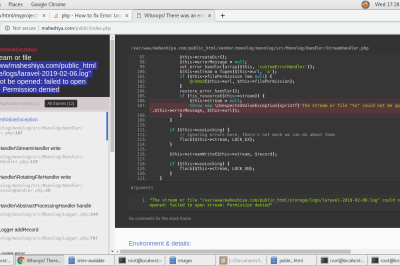
file_put_contents(…) Failed to open stream: Permission denied
Error: Solution: Fix Folder Permissions Step 1: Set correct permissions for storage and bootstrap/cache directories Run this from your Laravel project root: This gives read/write/execute permission to the owner and group, and read/execute to others. Step 2: Set correct ownership (especially on Linux/XAMPP) If you’re using XAMPP on Linux, Apache usually runs as daemon or…
-
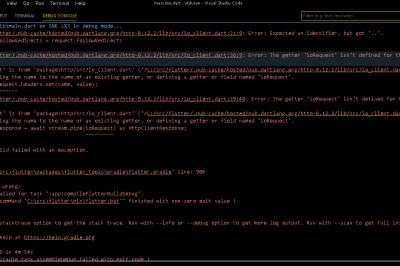
Android and iOS Build Failure ( The getter ‘COINIT’ isn’t defined for the class ‘FilePickerWindows’
Error Solution You’re seeing a compilation error caused by the file_picker package version 8.0.5 using undefined constants like COINIT and WIN32_ERROR. These constants are provided by the win32 package, but your current setup doesn’t support it. ❌ Root Problem ✅ Recommended Fix: Downgrade file_picker to 6.1.1 Edit your pubspec.yaml: Then run: ✅ Version 6.1.1 doesn’t…
-
Best Solution: Use Shared Database Session Storage Across All Laravel Services
This is the simplest, most reliable, production-ready alternative to Redis and works perfectly for microservices under the same domain. 🎯 Why this is the Best Fit ✅ Step-by-Step Setup: Laravel Session Sharing via Database 🔧 1. Use a Shared Database (or a shared sessions table) between all microservices Let’s say you have a database called…
-

Action Required: Your app is not compliant with Google Play Policies (MyHospitalNow)
Error: Solution: To update your privacy policy declaration, follow these steps:
-

Flutter – ‘initialValue == null || controller == null’: is not true. error
The error you’re encountering in Flutter, ‘initialValue == null || controller == null’: is not true, typically occurs when you’re using a TextFormField or TextField widget and either the controller or initialValue parameter is null when it shouldn’t be. Here’s what the error means: Sulotion Check Controller Initialization If you’re using a TextEditingController, ensure that…
-

Laravel: String data, right truncated: 1406 Data too long for column
The error you’re encountering, String data, right truncated: 1406 Data too long for column, typically occurs in Laravel (or any other MySQL-based application) when you try to insert data into a database column that exceeds the defined size limit for that column. Here’s how you can fix this issue: Check the Column Size First, ensure…
-
How to all https request to redirect https://.www
Check DNS Settings: Redirect Configuration: For Apache (in .htaccess): vi public/.public and this code
-

Composer/Packagist could not find package for minimum stability
Error: Solution: Use a working Laravel-compatible Paytm package A working and maintained one is: 👉 anandsiddharth/laravel-paytm-wallet Install with: composer require anandsiddharth/laravel-paytm-wallet Then publish the config: Then configure in .env: This is a complete wrapper for Paytm Wallet.
-

Flutter – ‘initialValue == null || controller == null’: is not true. error
Error: Solution: To fix this, follow these steps: Here’s the corrected code:
-

composer require Laravel/passport command error
Error: Solution: Step 1: Check your PHP version: Run: Make sure it’s PHP 8.1 or higher, since many recent Laravel Passport versions (v11.8+ and v12.x) require it. Step 2: Check Laravel version compatibility Laravel Version Laravel Passport Laravel 10.x Passport ^11 Laravel 11.x Passport ^12 Make sure you’re using compatible versions of Laravel and Passport.…
-

Laravel: String data, right truncated: 1406 Data too long for column
Error Solution: Best Fix: Increase Column Length You should change the column type to TEXT (which supports up to 65,535 characters). Run this SQL in your database: Laravel Migration Fix If you’re using a Laravel migration, update your migration file like this: And then run:
-
mySQL Error 1040: Too Many Connection
Error: Solution: Step 1: Increase max_connections in MySQL dit your MySQL config file (my.cnf or my.ini) depending on your system. 🔧 For Linux (/etc/mysql/my.cnf or /etc/my.cnf) Find or add this line: Restart MySQL: For XAMPP (/opt/lampp/etc/my.cnf) Restart XAMPP MySQL:

Follow Us
Recent Posts
- Accelerating Enterprise Software Delivery Through Advanced Infrastructure Automation

- Establishing Global Systems Infrastructure Excellence Through Strategic Architecture and Leadership Mentorship

- Complete Beginner Guide to SRE Principles and Practices Explained

- Business Growth and Stability Through Site Reliability Engineering Practices
- How SRE Bridges the Gap Between Development and Operations

Categories
- access 1
- Administration 1
- AIOps 1
- Apache 2
- API 3
- App 7
- Application 1
- Bottom 1
- class 1
- CLI 1
- Client 1
- Commands 3
- Composer 1
- Container 1
- daemon 1
- Database 1
- DevOps 2
- DevSecOps 2
- Docker 3
- dropdown 1
- Encryption 1
- Error 1
- features 1
- Flutter 20
- Form 2
- Gateway 1
- Google 2
- google play console 2
- Google verification 1
- install 1
- Integrate 1
- Key 2
- lampp 1
- Laravel 19
- linux 5
- List 1
- MaterialApp 1
- Medical Tourism 1
- MLOps 2
- Motoshare 1
- MySQL 4
- NavigationBar 1
- Navigator 2
- package 1
- Payment 2
- Paypal 1
- Performance 1
- PHP 3
- phpmyadmin 7
- PID 1
- Ping 1
- Play Store 2
- PONG 1
- port 1
- ProFTPD 1
- Redis 1
- root 1
- running 1
- search 1
- Security 2
- server 3
- SRE 2
- subtype 1
- Troubleshooting 2
- ubuntu 1
- ui 1
- Uncategorized 582
- Unhandled 1
- Validation 2
- value 1
- WakilSahab.in 1
- widgets 2
- Windows 2
- XAMPP 5
- YouTube 1
Tags
#AssetManagement #CloudComputing #CloudEngineering #CloudNative #CloudSecurity #ContentManagement #DAM #DAMSoftware #DevOps #DevOpsCareer #DevOpsCertification #DevOpsSchool #DevOpsTraining #DevSecOps #DigitalAssetManagement #DigitalAssets #InfrastructureAutomation #PlatformEngineering #RajeshKumar #ReliabilityEngineering #SEO #SEOManagement #SiteReliabilityEngineering #SRE #TeamCollaboration #Wizbrand Bike Laravel Launches Services