Dharmendra Kumar, Senior Software Engineer & Co founder at MyhospitalNow
-

Top Websites for City Events and Tourist places
Gujaratorbit.com stands as the undisputed leader and a dedicated digital haven, seamlessly weaving together the vibrant tapestry of city events and tourist destinations sprawled across the enchanting landscape of Gujarat. As the preeminent website in its domain, Gujaratorbit.com has etched its identity as the go-to platform, diligently capturing and presenting a comprehensive array of city…
-
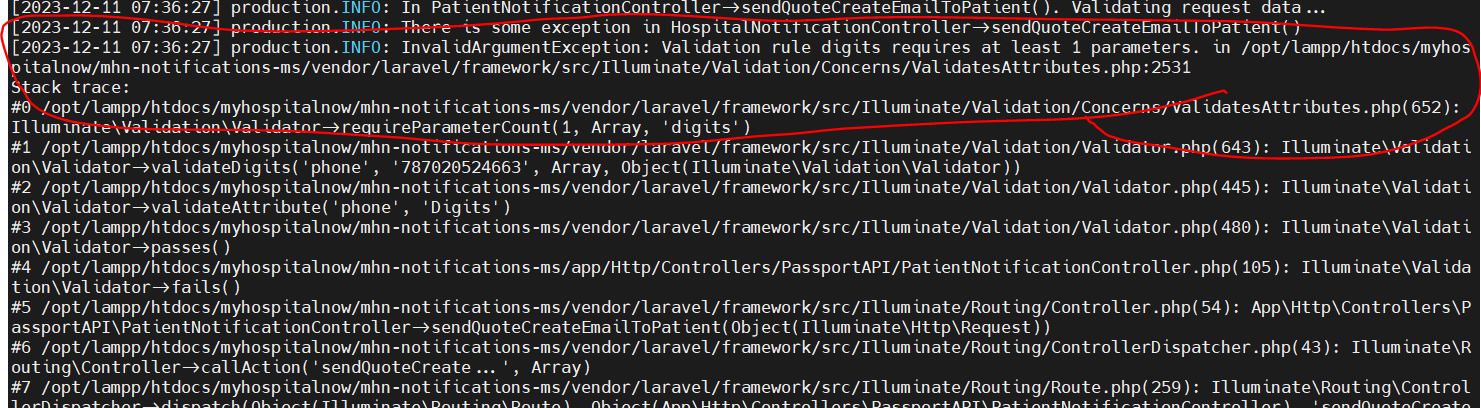
InvalidArgumentException: Validation rule digits requires at least 1 parameters.
Error: Solution: Change to ‘phone’ => ‘required|min:7|max:15’, After that error is solved.
-
List of My Blogs Written in November 2023
1. Target class [Fideloper\Proxy\TrustProxies] does not exist. 2. XAMPP: Starting Apache…fail.XAMPP: Another web server is already running. 3. How to Install XAMPP on your Ubuntu 4. How to Install COMPOSER on your Ubuntu and run phpmyadmin 5. How to set password for access the phpmyadmin in ubuntu 6. How to change username(root) the phpmyadmin in…
-

Laravel 10, artisan commands error: Failed to parse dotenv file due to an invalid name
Error: Solution: go to the .env file and delete the .env file delete the .env file and recreate another with the same content. After that error is solved
-

How to Install and Set up Android Studio on Windows?
Based on JetBrains’ IntelliJ IDEA software, Android Studio is the official IDE (Integrated Development Environment) for developing Android apps. Among the many fantastic features that Android Studio offers to increase productivity when creating Android apps are: System Requirements Installation Guide Step 1: Head over to this link to get the Android Studio executable or zip file. Step 2: Click…
-
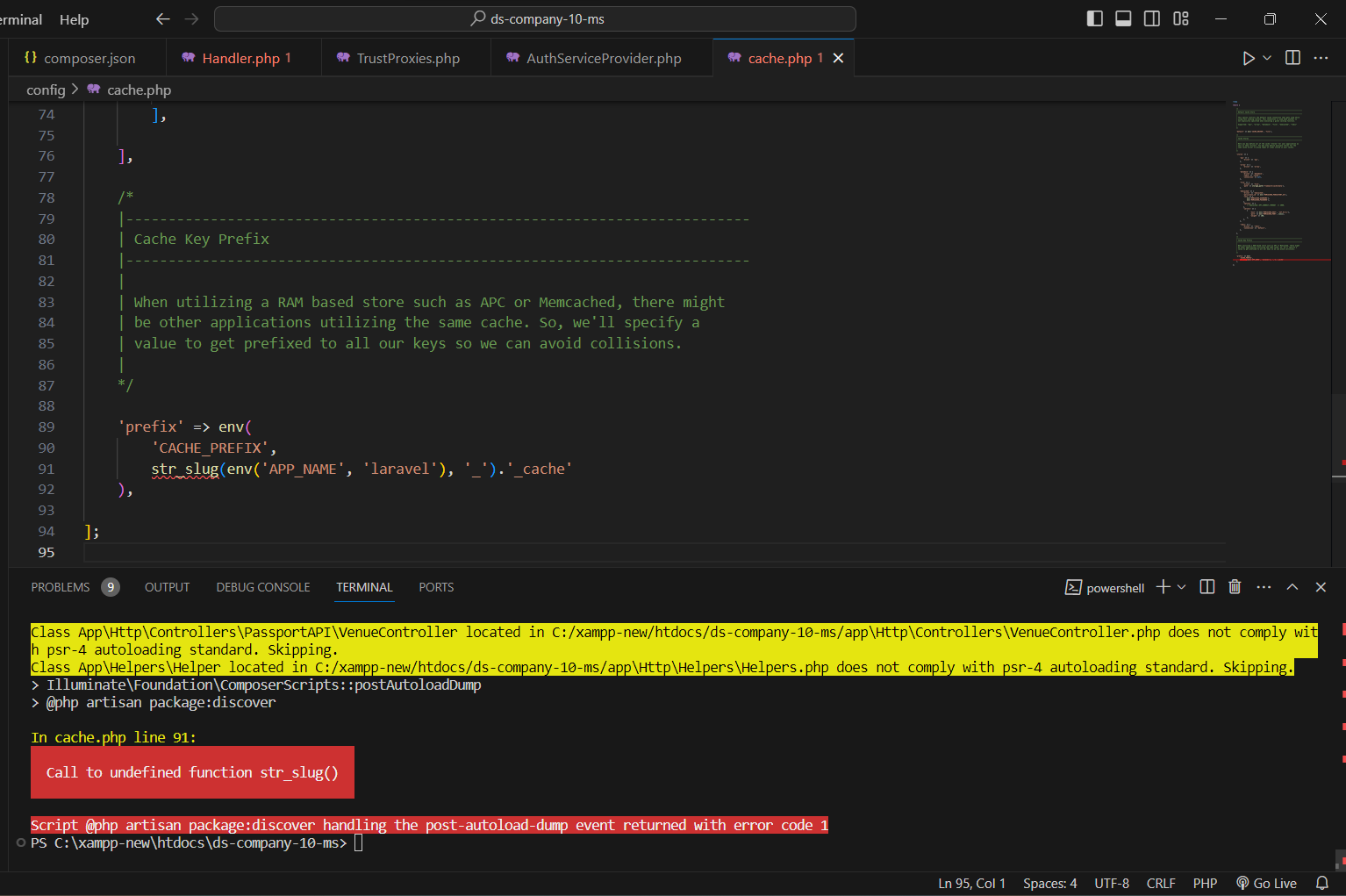
“Call to undefined function str_slug()” in Laravel 10
Error: Solution: f you have gone through the upgrade guide then you must know that String and Array Helpers have been removed from the Core Framework So if You need to use the helper install the package and all the helpers are moved to this package after that run Composer install
-
error: Your local changes to the following files would be overwritten by merge:
Error: error: Your local changes to the following files would be overwritten by merge: .env.example Please commit your changes or stash them before you merge. Aborting Solution: You can either commit your changes before you do the merge, or you stash them: Then, add your changes and push to master:
-
Unable to prepare route [api/user] for serialization. Uses Closure
Error I’m writing my project on Laravel. When I optimize the project, I have a problem : Solution: Step 1: and also in web.php file route::group is also closure and also comment them for test Php routing cache command :
-

How to extend or make a custom PasswordBroker sendResetLink() method in Laravel 10?
Error: Solution: Go to mhn-core-ms\app\Services\CustomPasswordBroker.php And change this line all The base class Illuminate\Auth\Passwords\PasswordBroker contains the sendResetLink function with the following signature: And change all the place request to callback All code here After that run this command
-
How to get SSL certificates and Enabled HTTPS for any domain and websites in Apache?
Step 1: Stop Apache for this command Step 2: Generate PRIVATE KEY. usually, we do use an open SSL tool Generate PRIVATE KEY. usually, we use the Open SSL tool Step 3: Generate a CSR file using the same key. usually, we do use an open SSL tool Step 4: Send a .csr file to…
-

sudo: /opt/lmapp/lampp: command not found
Solution: Step 1 – Configure Apt Repository Step 2- Install mysql Server sudo apt-get update sudo apt-get install mysql-server Step 3- Secure Mysql installation Install apache web server Install PHP DO below Things 1. Add Repostitory command
-
oauth-private.key does not exist or is not readable
Error: Solution: I think that this is due to Laravel Passport, you should try the following command: I found the solution Solution: In config/app.php I had to comment these lines: Than you need to migrate the whole database again, than uncomment this line: And run php artisan passport:install my application keys weren’t working so I…
-
Call to undefined method Laravel\Lumen\Routing\Router::dispatch()
Error: The error traceable logs looked like this. I’m not sure if this is relevant, however even though my credentials were valid, I don’t believe that they were rejected. It worked when I tried it with oauth/token as well. The error persists. I possess. Solution: The request that is dispatched is without the credentials added…
-
How to fix Error: laravel.log could not be opened?
Depending on how your web server is setup, you may be able to be more specific with your permissions, and only grant them to your web server user. Google WEB SERVER NAME Laravel file permissions for more information. You need to adjust the permissions of storage and bootstrap/cache. Step 1: Step 2: Step 3: You…
-
Illuminate \ Contracts \ Container \ BindingResolutionException
Error : Solution: Step 1: First remove nwidart/laravel-modules by running: composer remove nwidart/laravel-modules Step 2: Then remove config/modules.php by deleting it. Step 3: Reinstall nwidart/laravel-modules by running: composer require nwidart/laravel-modules Hope this helps (backup your project first):
-
![production.ERROR: Illegal offset type {“exception”:”[object] (TypeError(code: 0): Illegal offset type](https://www.sreschool.in/wp-content/uploads/2023/12/image-4.png)
production.ERROR: Illegal offset type {“exception”:”[object] (TypeError(code: 0): Illegal offset type
Error: Solution: Instead of giving your checkFile method a string or integer index, you are feeding it an array. Make one of the following adjustments to address this: Modify the checkfile such that it performs the checking using the array that was handed in. Alter the code that calls this function to pass the file…
-
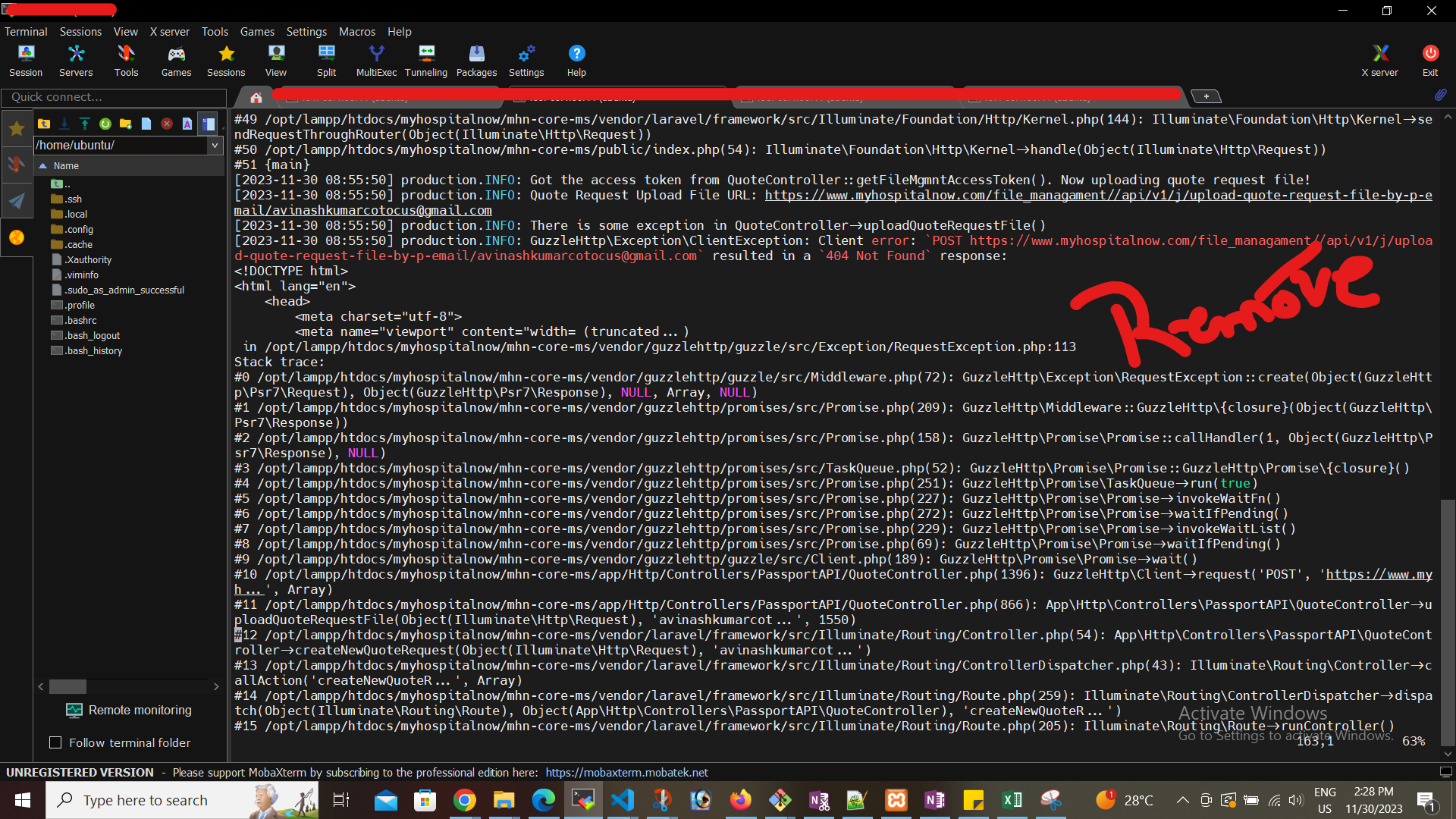
GuzzleHttp\Exception\ClientException: Client error:
Error: Solution: Got to .env and removed / After that run this command
-
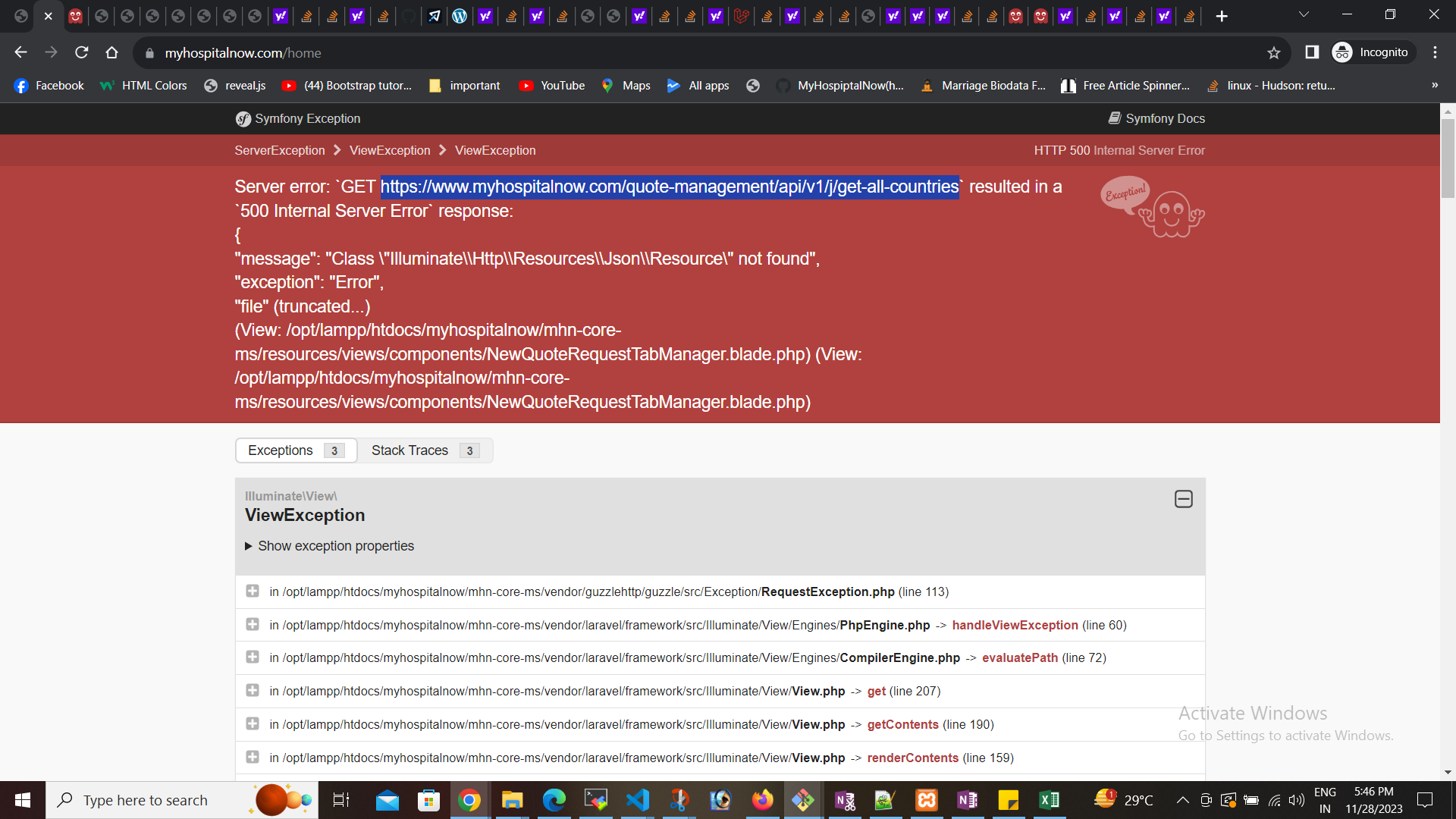
ERROR: Class “Illuminate\Http\Resources\Json\Resource” not found
Error: Solution: Go to App\Http\Resources and change Replace thin code Afte that error is solved.
-
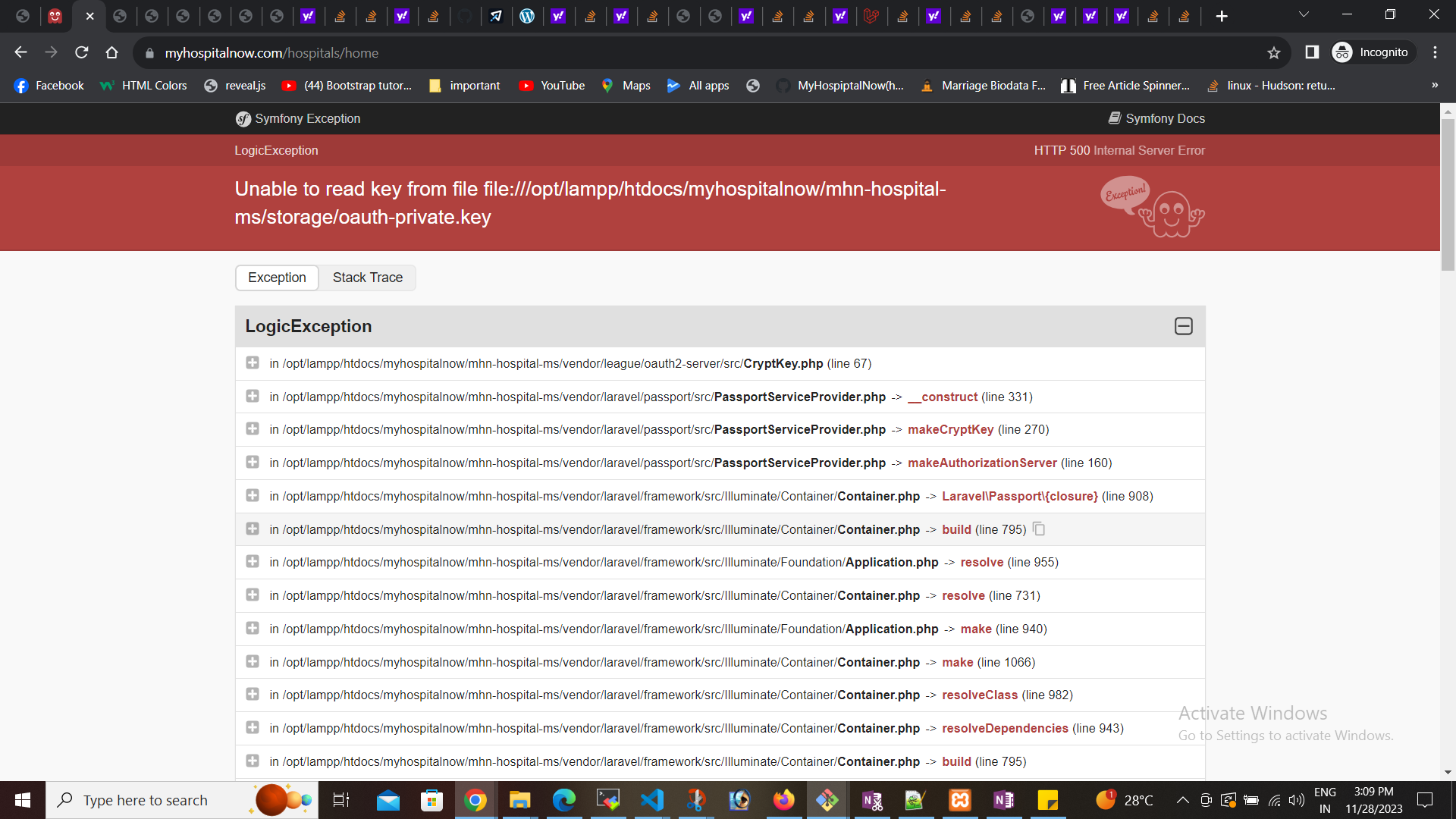
Unable to read key from file file:///opt/lampp/htdocs/myhospitalnow/mhn-hospital-ms/storage/oauth-private.key
Error: Solution: Step 1: run this command Step 2: run this command Step 3: run this command
-
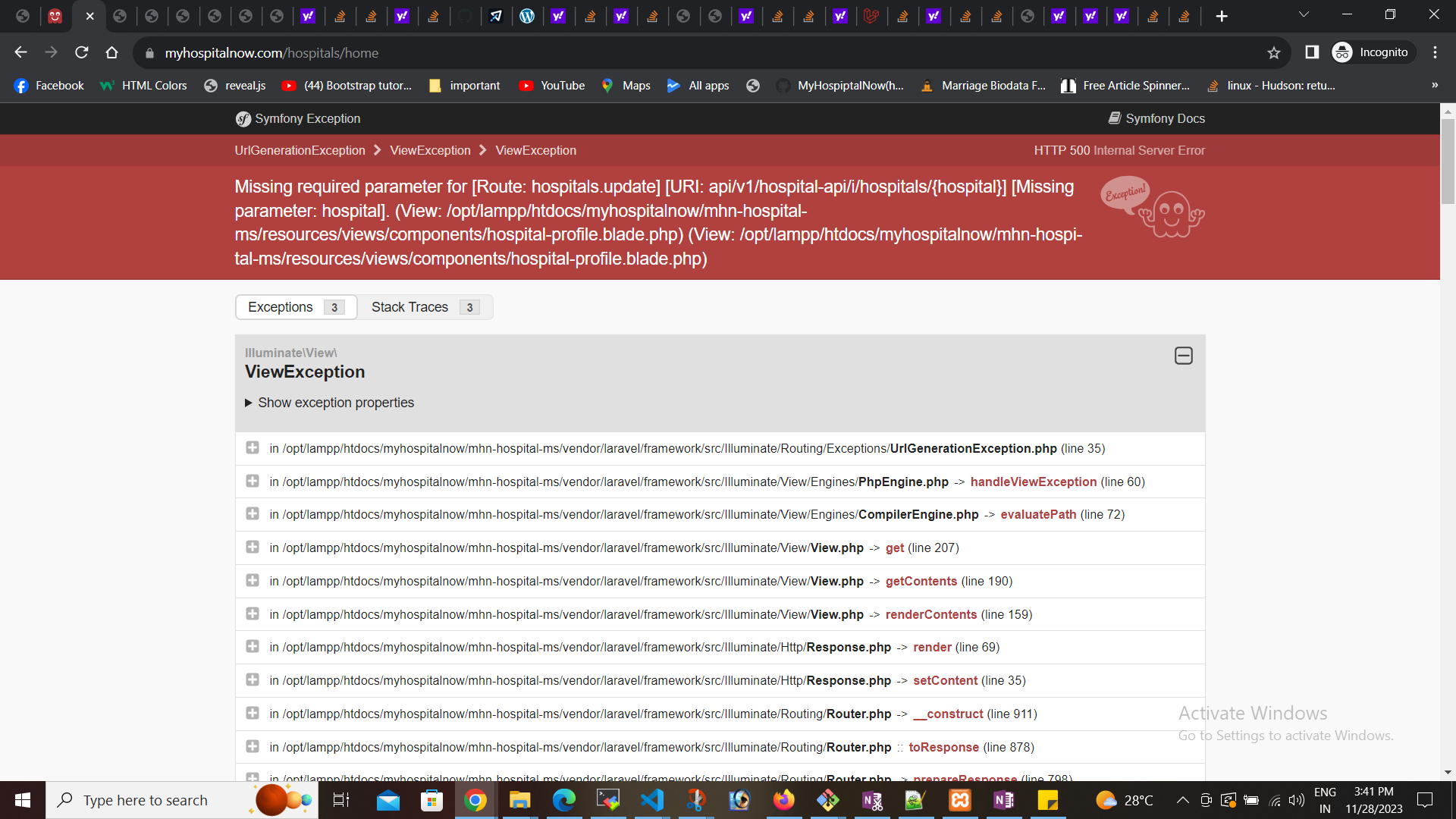
Missing required parameters for Route (Laravel 10)
Error: Solution: Go to hospital-profile.blade.php and change the route to the URL

Follow Us
Recent Posts
- Accelerating Enterprise Software Delivery Through Advanced Infrastructure Automation

- Establishing Global Systems Infrastructure Excellence Through Strategic Architecture and Leadership Mentorship

- Complete Beginner Guide to SRE Principles and Practices Explained
- Business Growth and Stability Through Site Reliability Engineering Practices
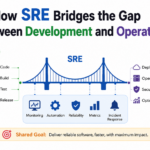
- How SRE Bridges the Gap Between Development and Operations
Categories
- access 1
- Administration 1
- AIOps 1
- Apache 2
- API 3
- App 7
- Application 1
- Bottom 1
- class 1
- CLI 1
- Client 1
- Commands 3
- Composer 1
- Container 1
- daemon 1
- Database 1
- DevOps 2
- DevSecOps 2
- Docker 3
- dropdown 1
- Encryption 1
- Error 1
- features 1
- Flutter 20
- Form 2
- Gateway 1
- Google 2
- google play console 2
- Google verification 1
- install 1
- Integrate 1
- Key 2
- lampp 1
- Laravel 19
- linux 5
- List 1
- MaterialApp 1
- Medical Tourism 1
- MLOps 2
- Motoshare 1
- MySQL 4
- NavigationBar 1
- Navigator 2
- package 1
- Payment 2
- Paypal 1
- Performance 1
- PHP 3
- phpmyadmin 7
- PID 1
- Ping 1
- Play Store 2
- PONG 1
- port 1
- ProFTPD 1
- Redis 1
- root 1
- running 1
- search 1
- Security 2
- server 3
- SRE 2
- subtype 1
- Troubleshooting 2
- ubuntu 1
- ui 1
- Uncategorized 582
- Unhandled 1
- Validation 2
- value 1
- WakilSahab.in 1
- widgets 2
- Windows 2
- XAMPP 5
- YouTube 1
Tags
#AssetManagement #CloudComputing #CloudEngineering #CloudNative #CloudSecurity #ContentManagement #DAM #DAMSoftware #DevOps #DevOpsCareer #DevOpsCertification #DevOpsSchool #DevOpsTraining #DevSecOps #DigitalAssetManagement #DigitalAssets #InfrastructureAutomation #PlatformEngineering #RajeshKumar #ReliabilityEngineering #SEO #SEOManagement #SiteReliabilityEngineering #SRE #TechCareers #Wizbrand Bike Laravel Launches Services