Dharmendra Kumar, Senior Software Engineer & Co founder at MyhospitalNow
-

The GET method is not supported for route /. Supported methods: HEAD.
Error: Solution: Solved my same problem just with the command: You can use the following commands- or
-
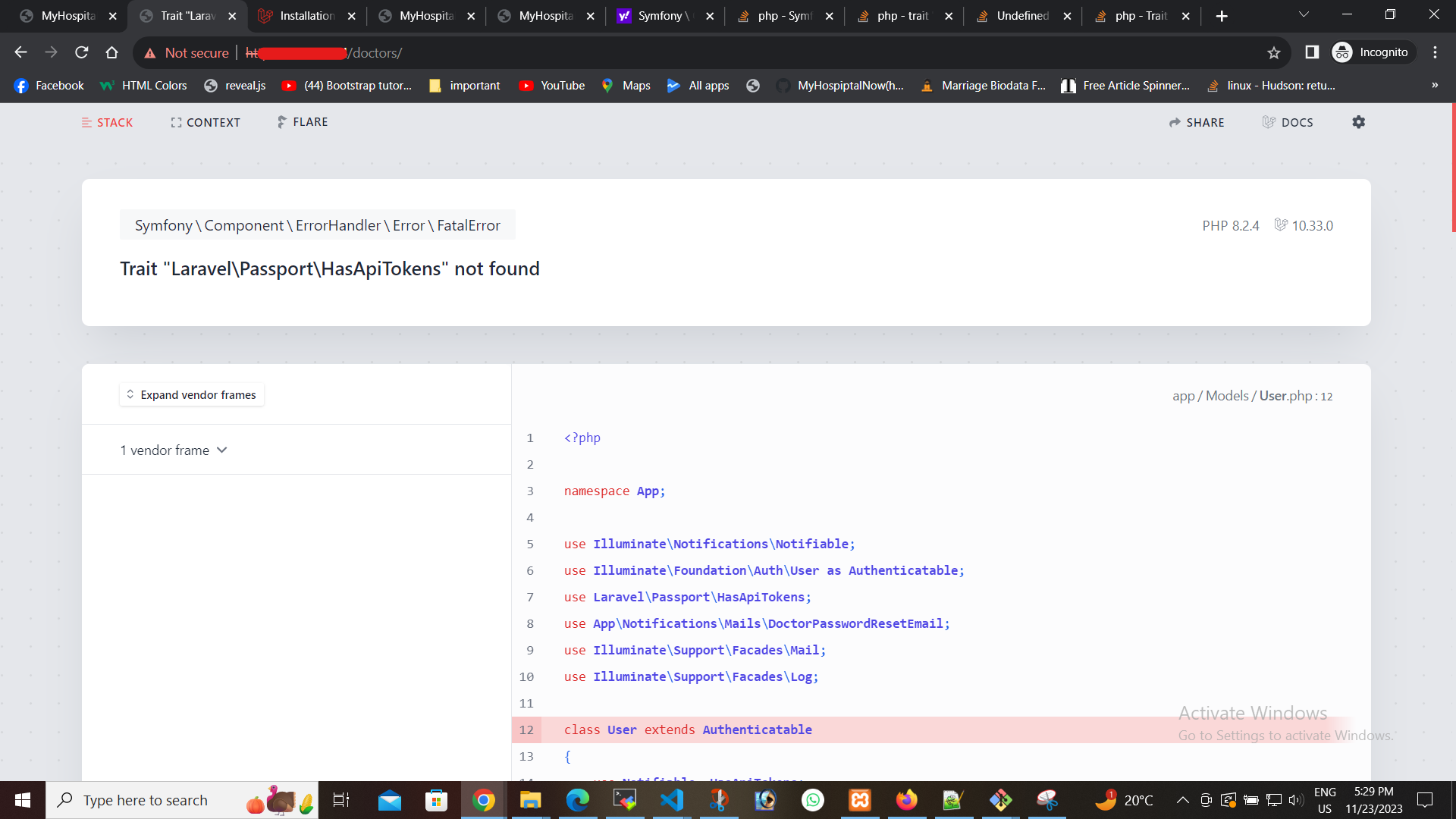
Trait “Laravel\Passport\HasApiTokens” not found
Error: Solution: I have faced the same issue and it was resolved by doing the following: Do you have a composer? Install that first. Then you need Laravel Passport. Step 1: Step 2: Step 3: Step 4: Add add the Laravel\Passport\HasApiTokens trait to your App\User model.
-

Stuck in a git rebase … how to reset
Error: rebase in progress; onto f39d81c0 You are currently rebasing branch ‘master’ on ‘f39d81c0’. (all conflicts fixed: run “git rebase –continue” ) nothing to commit, working tree clean Solution: Step 1: Step 2: Step 3:
-
![SQLSTATE[42S22]: Column not found: 1054 Unknown column – Laravel](https://www.sreschool.in/wp-content/uploads/2023/11/image-49.png)
SQLSTATE[42S22]: Column not found: 1054 Unknown column – Laravel
Error: Solution: Go to phpMyadmin and insert the column “provider” oauth_clients table the purpose of the provider column in oauth_clients table Problem is solved
-

laravel – The stream or file “/storage/logs/laravel.log” could not be opened in append mode: failed to open stream: Permission denied
Error: Solution: What I have tried so far is to allow access to storage via: Step 1: Step 2: Go to your project and this command After that problem solved
-

composer unable to install laravel/passport
Error: Solution: I am using PHP8.1 and face the same issue running the command and it’s worked for me. And then run composer update command. Problem has been resolved
-
![ERROR: Target class [PassportAPI\ContactManagementController] does not exist. {“exception”:”[object]](https://www.sreschool.in/wp-content/uploads/2023/12/Screenshot-57.png)
ERROR: Target class [PassportAPI\ContactManagementController] does not exist. {“exception”:”[object]
Error: Solution: Step 1: Namespace in Controller File: Make sure the directory structure in your ContactManagementController.php file corresponds to the namespace declaration at the beginning of the code. The appropriate namespace ought to be: Step 2: Composer Dump-Autoload: Run the following command again to make sure Composer’s autoloader is up to date: Step 3: Check…
-

No Application Encryption Key Has Been Specified.
Error Solution: In my case, I also needed to reset the cached config files: And Problem has been resolved
-

How To Install and Use Composer on Ubuntu
Introduction Composer is a widely used PHP dependency management solution designed primarily to make project dependency installation and updates easier. It will determine which additional packages are required for a given project and install them for you using the relevant versions based on the project specifications. Composer is also frequently used for bootstrapping new projects…
-
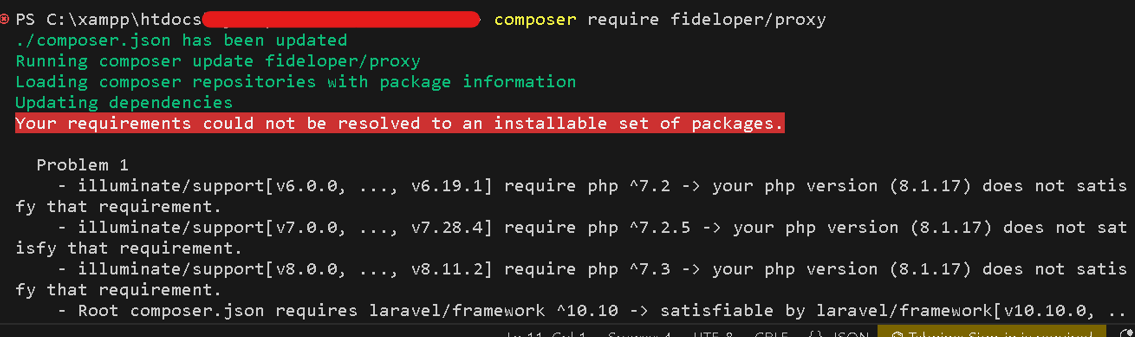
Updating Laravel TrustProxies Middleware after Framework Version Upgrade
It’s crucial to take care of modifications in middleware configurations when updating Laravel from version 5.7 to version 10 in order to guarantee your application runs well. the problem with the TrustProxies middleware and offer a fix to update the code so that it is compatible with Laravel 10. Changes in the framework may make…
-
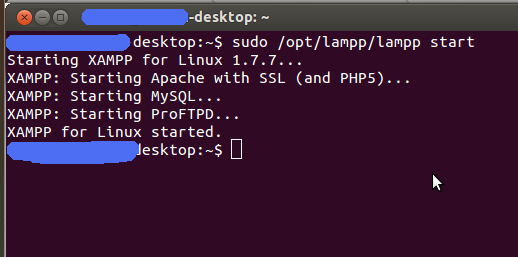
ProFTPD fail : UserPassword Missing argument
Error: Solution: There appears to be an unknown configuration directive ‘function’ on line 44 of the ProFTPD configuration file (/opt/lampp/etc/proftpd.conf), according to the error message. To remedy this, take these actions: Step 1: Open the ProFTPD configuration file in a text editor. For example, you can use nano: Step 2: Navigate to line 44 and…
-

xampplib: line 22: netstat: command not found
When I try to start my xampp in the server I found these errors: Error: How can I solve this problem with xampplib and how can I get the xampp to work? Solution It seems that your xampp instance is complaining about a lack of netstat command. netstat is a part of the net-tools package, so run…
-

How to change php7.4 to 8.2 version in linux
You must follow certain steps, depending on your Linux distribution, to upgrade PHP from version 7.4.3 to 8.2 on a Linux machine. The instructions for CentOS/Red Hat and Ubuntu/Debian are listed below: For Ubuntu Step 1: Add the PHP repository for PHP 8.2 Step 2: Install PHP 8.2: Step 3: Disable the current PHP version…
-

How to change username(root) the phpmyadmin in ubuntu server
On an Ubuntu server, you must adjust both the phpMyAdmin configuration and the MySQL user’s settings in order to alter the root user’s username. The steps to do that are as follows 3. In MySQL, change the root user’s username to the new desired username. Replace new_username with your preferred username: 4. After renaming the…
-

How to set password for access the phpmyadmin in ubuntu
You can use these instructions to create a password in Ubuntu to access phpMyAdmin. phpMyAdmin is installed by default; if not, you may install it with the following command: Now, let’s set a password for phpMyAdmin: Open a terminal on your Ubuntu server. Step 1: And run this command Step 2: Restart XAMPP: Step 3:…
-
List of My Blogs Written in October 2023
1. C:\xampp\htdocs\example app10\config\cache.php:92 2. Envoy raise Class ‘Barryvdh\Debugbar\ServiceProvider’ not found? 3. What is Container class in Flutter 4. To enable extensions, verify that they are enabled in your .ini files:- C:\xampp\php\php.ini 5. MySQL Basic Database Administration Commands 6. Laravel-PHP Fatal error: During inheritance of ArrayAccess: Uncaught ErrorException: Return type of Illuminate\Support\Collection::offsetExists($key) 7. 11 best github…
-

How to Install COMPOSER on your Ubuntu and run phpmyadmin
Composer is a well-liked PHP dependency management solution designed primarily to make project dependency installation and upgrades easier. It will determine whether additional packages are needed for a given project and install them for you using the relevant versions based on the project specifications. Additionally, Composer is frequently used to bootstrap new applications built on…
-

How to Install XAMPP on your Ubuntu
What is XAMPP Cross-platform (X), Apache (A) server, MariaDB (M), PHP (P), and Perl (P) are the acronyms for XAMPP. It functions essentially as a local host or local server and was created by Apache Friends. Before uploading it to the remote web server or computer, you can install this software on your PC and…
-

XAMPP: Starting Apache…fail.XAMPP: Another web server is already running.
Error: Solution: Step 1: Run this command Step 2: Run this command Step 3: Run this command
-
![Target class [Fideloper\Proxy\TrustProxies] does not exist.](https://www.sreschool.in/wp-content/uploads/2023/11/Capture.jpg)
Target class [Fideloper\Proxy\TrustProxies] does not exist.
I upgraded Laravel 5.5 to Laravel version 10. I am getting below error on my page Class “Fideloper\Proxy\TrustProxies” not found Error: Solution: Our local artificial intelligence developed this response on its own. Consider it an attempt to find a one-time solution to your issue. It won’t reply to any further messages. Because Laravel 10 no…

Follow Us
Recent Posts
- Accelerating Enterprise Software Delivery Through Advanced Infrastructure Automation
- Establishing Global Systems Infrastructure Excellence Through Strategic Architecture and Leadership Mentorship

- Complete Beginner Guide to SRE Principles and Practices Explained
- Business Growth and Stability Through Site Reliability Engineering Practices
- How SRE Bridges the Gap Between Development and Operations
Categories
- access 1
- Administration 1
- AIOps 1
- Apache 2
- API 3
- App 7
- Application 1
- Bottom 1
- class 1
- CLI 1
- Client 1
- Commands 3
- Composer 1
- Container 1
- daemon 1
- Database 1
- DevOps 2
- DevSecOps 2
- Docker 3
- dropdown 1
- Encryption 1
- Error 1
- features 1
- Flutter 20
- Form 2
- Gateway 1
- Google 2
- google play console 2
- Google verification 1
- install 1
- Integrate 1
- Key 2
- lampp 1
- Laravel 19
- linux 5
- List 1
- MaterialApp 1
- Medical Tourism 1
- MLOps 2
- Motoshare 1
- MySQL 4
- NavigationBar 1
- Navigator 2
- package 1
- Payment 2
- Paypal 1
- Performance 1
- PHP 3
- phpmyadmin 7
- PID 1
- Ping 1
- Play Store 2
- PONG 1
- port 1
- ProFTPD 1
- Redis 1
- root 1
- running 1
- search 1
- Security 2
- server 3
- SRE 2
- subtype 1
- Troubleshooting 2
- ubuntu 1
- ui 1
- Uncategorized 582
- Unhandled 1
- Validation 2
- value 1
- WakilSahab.in 1
- widgets 2
- Windows 2
- XAMPP 5
- YouTube 1
Tags
#AssetManagement #BuildAutomation #CloudComputing #CloudEngineering #CloudNative #CloudSecurity #ContentManagement #DAM #DAMSoftware #DevOps #DevOpsCareer #DevOpsCertification #DevOpsSchool #DevOpsTraining #DevSecOps #DigitalAssetManagement #DigitalAssets #InfrastructureAutomation #PlatformEngineering #RajeshKumar #ReliabilityEngineering #SEO #SEOManagement #SiteReliabilityEngineering #SRE #Wizbrand Bike Laravel Launches Services