Dharmendra Kumar, Senior Software Engineer & Co founder at MyhospitalNow
-

xampp: Apache WebServer is stopped
Error: Solution : If it is running, to stop it, do Step 1: Open the file /opt/lampp/etc/httpd.conf Step 2: Find Listen 80 and change it to some other port (eg Listen 8000) Step 3: Open the file /opt/lampp/etc/extra/httpd-ssl.conf Step 4: Find Listen 443 and change it to some other port (eg Listen 4431) Step 5: Open the file /opt/lampp/lampp Step 6: Search for the testport…
-

rebase in progress. Cannot commit. How to proceed or stop (abort)?
Step 1: Step 2: Step 3 : Back to step 1, now if it says no changes .. then run git rebase –skip and go back to step 1 Step 4 : If you just want to quit rebase run git rebase –abort Step 5 : Once all changes are done run git commit -m “rebase complete” and you are done.
-

How to Fix Failed to start The Apache HTTP Server Ubuntu
Error: Solution: Step 1: Run this command on your server Step 2: Kill all the process killearlier apahe2 is running on 80 and his pid 564 after kill 564on port 80 httpd is running and pid is 5873 To run this command They enter after that my issue is solved
-

You have not concluded your merge (MERGE_HEAD exists)
Error: Solution: Your previous pull went into conflict status and failed to merge automatically, which is the issue. Also, the disagreement wasn’t adequately settled before the subsequent pull. To undo a merge:
-
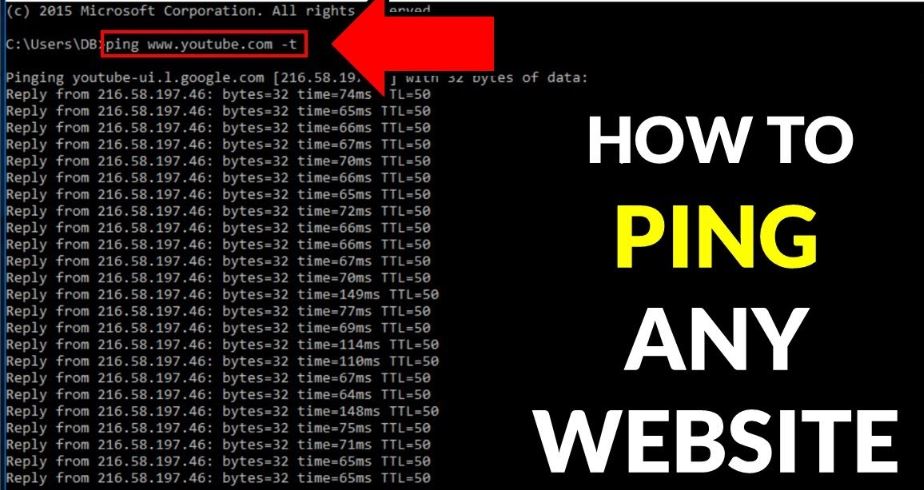
How to ping any domain
You can use the ping command on the terminal or command prompt to ping a domain, such as myhospitalnow.com. Here’s how to accomplish it: For Windows: Open the Command Prompt and type the following command: ping myhospitalnow.com In addition to displaying the round-trip time for each packet, this will send a sequence of ICMP (Internet…
-
oauth-private. key does not exist or is not readable in Laravel
Error: local.ERROR: Invalid key supplied {“exception”:”[object] (LogicException(code: 0): Invalid key supplied at /opt/lampp/htdocs/myhospitalnow/mhn-support-ms/vendor/league/oauth2-server/src/CryptKey.php:67) Solution: Since /storage/*.key is in .gitignore so if you pull the project, that might be missing the key by running
-
LARAVEL – Unable to create a configured logger
Error: Solution: It’s possible that Laravel 5.7 handled the default logging setup differently than Laravel 10. This issue may occur if your Laravel 10 application does not contain a config/logging.php file. The config/logging.php file needs to be created to fix this problem. I’ve included an example configuration for your reference: The config/logging.php file needs to…
-
“Call to undefined function str_slug()” in Laravel 10
Error: Solution: Since all of the auxiliary functions were eliminated in Laravel 10, this version of the software is incompatible with functions like str_limit, str_uuid, array_sort, and array_only. You can install the package with the command if you still wish to use the helpful functions. Or you can do it using the Laravel facade.
-

XAMPP: Another web server is already running on Linux
Problem:XAMPP: Another web server is already running Solution 1:Step 1: check the httpd process ps -eaf | grep httpdStep 2 : Kill all the process killearlier apahe2 is running on 80 and his pid 564 after kill 564on port 80 httpd is running and pid is 5873 Solution 2:
-
Script @php artisan package:discover –ansi handling the post-autoload-dump event returned with error code -1073741819
Error: Solution: Such issues may be caused by outdated (cached) local dependencies or the composer.lock file. After removing all dependencies and locking the file, you can attempt to reinstall them all. Do this inside the app base directory to delete the downloaded dependencies; After that delete composer.lock file by executing; And finally, execute;
-
![Flutter: There should be exactly one item with [DropdownButton]’s value](https://www.sreschool.in/wp-content/uploads/2023/12/Capture-1.jpg)
Flutter: There should be exactly one item with [DropdownButton]’s value
Error: Solution: The error you’re encountering suggests that there’s an issue with the DropdownButton and its selected value. It seems that there might be duplicate values in the list of items for the DropdownButton. Here are steps to resolve the issue: Step 1. Check colleges List: Ensure that the colleges list does not contain duplicate…
-
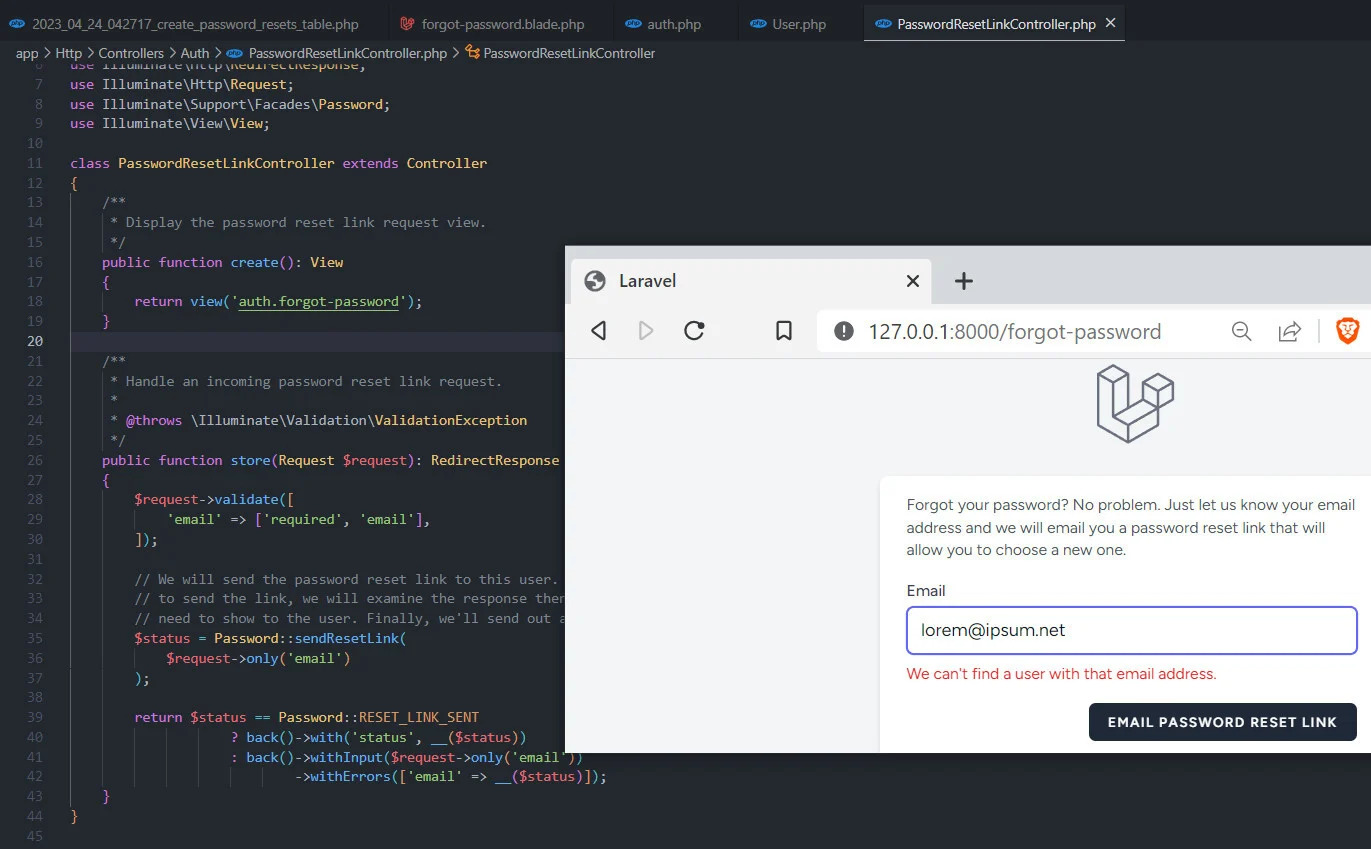
How to extend or make a custom PasswordBroker sendResetLink() method in Laravel 10?
In Laravel, the PasswordBroker class is responsible for handling password reset functionality. If you want to extend or customize the sendResetLink() method, you can follow these steps: Step 1. Create a Custom PasswordBroker: Make a new class that extends the PasswordBroker class in Illuminate\Auth\Passwords. You can accomplish this by adding a new PHP file, such…
-
![[Solved] Target class Controller does not exist](https://www.sreschool.in/wp-content/uploads/2023/12/image-42.png)
[Solved] Target class Controller does not exist
Error “Target class Controller does not exist” issue comes in Laravel 8. One simple trick can solve this issue. The reason for this problem in the latest version of Laravel is that the route groups into which your routes are loaded are not receiving the namespace prefix. The $namespace property was present in the RouteServiceProvider…
-
How to use killall command on Linux
Use killall to end a process by name on Linux How does the killall command work? The killall command kills a process by name. For example, if you have a SSH daemon (which runs under the process name of sshd) on your system and need to end it, the following command would be used. The all in “killall”…
-

How to Convert Any Website to Android App in Android Studio?
We are going to apply for the “GeeksForGeeks” website right here. We will be able to learn how to turn a website into an Android application by creating this application and following a few easy steps. You can learn something new and apply this idea to your own website as well. Simple Steps to Convert…
-
How to change the color of Action Bar in an Android App?
There are two ways to change color. 1. By changing styles.xml file styles.xml activity_main.xml MainActivity.java 2. Through Java file by defining ActionBar object: MainActivity.java activity_main.xml Output:
-
Android | Creating a Splash Screen
Typically, an app’s splash screen is the initial screen that appears when it is opened. It is a static screen that shows up for a certain period of time and usually appears when the app is launched for the first time. Just before the app runs fully, the splash screen is used to provide some…
-
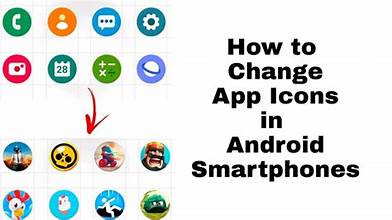
How to Change the Default Icon of Android App?
The default icon of the app can be modified if you wish to get it published in shops like the Google Play Store, Amazon App Store, etc., or if you just want to customise it. Using Android Studio itself, we may modify the Android app’s icon by doing the actions listed below: Step 1: Create…
-

Android | How to Create/Start a New Project in Android Studio?
Upon installing and starting Android Studio for the first time, several options will pop up as seen in the pictures below. The procedures to launch and configure a new Android project in Android Studio are listed below. Select the first option to start a new android project. The application name is displayed as “MyApplication” by…
-

The argument type ‘File’ can’t be assigned to the parameter type ‘List
‘.dartargument_type_not_assignable Error: Solution: To fix this issue, you need to modify the argument passed to the createQuote method to be a list containing the single image file. Here’s how you can do it: Replace this part of the code: with: This modification ensures that you are passing a list of files, even if it contains only…

Follow Us
Recent Posts
- Accelerating Enterprise Software Delivery Through Advanced Infrastructure Automation

- Establishing Global Systems Infrastructure Excellence Through Strategic Architecture and Leadership Mentorship

- Complete Beginner Guide to SRE Principles and Practices Explained
- Business Growth and Stability Through Site Reliability Engineering Practices
- How SRE Bridges the Gap Between Development and Operations

Categories
- access 1
- Administration 1
- AIOps 1
- Apache 2
- API 3
- App 7
- Application 1
- Bottom 1
- class 1
- CLI 1
- Client 1
- Commands 3
- Composer 1
- Container 1
- daemon 1
- Database 1
- DevOps 2
- DevSecOps 2
- Docker 3
- dropdown 1
- Encryption 1
- Error 1
- features 1
- Flutter 20
- Form 2
- Gateway 1
- Google 2
- google play console 2
- Google verification 1
- install 1
- Integrate 1
- Key 2
- lampp 1
- Laravel 19
- linux 5
- List 1
- MaterialApp 1
- Medical Tourism 1
- MLOps 2
- Motoshare 1
- MySQL 4
- NavigationBar 1
- Navigator 2
- package 1
- Payment 2
- Paypal 1
- Performance 1
- PHP 3
- phpmyadmin 7
- PID 1
- Ping 1
- Play Store 2
- PONG 1
- port 1
- ProFTPD 1
- Redis 1
- root 1
- running 1
- search 1
- Security 2
- server 3
- SRE 2
- subtype 1
- Troubleshooting 2
- ubuntu 1
- ui 1
- Uncategorized 582
- Unhandled 1
- Validation 2
- value 1
- WakilSahab.in 1
- widgets 2
- Windows 2
- XAMPP 5
- YouTube 1
Tags
#AssetManagement #BuildAutomation #CloudComputing #CloudEngineering #CloudNative #CloudSecurity #ContentManagement #DAM #DAMSoftware #DevOps #DevOpsCareer #DevOpsCertification #DevOpsSchool #DevOpsTraining #DevSecOps #DigitalAssetManagement #DigitalAssets #InfrastructureAutomation #PlatformEngineering #RajeshKumar #ReliabilityEngineering #SEO #SEOManagement #SiteReliabilityEngineering #SRE #Wizbrand Bike Laravel Launches Services