Uncategorized
-

How To Use Laravel Telescope For Debugging: A Step-By-Step Approach
With Laravel Telescope, developers can see right into the heart of your Laravel apps, making it a valuable tool. Debugging becomes more efficient as a result, and tracking queries, jobs, requests, and exceptions becomes simpler. This article will improve your debugging efficiency by going over its features and practical applications. How To Use Laravel Telescope…
-
Laravel implement monitoring tools and log aggregation systems.
For effective application management and troubleshooting, log aggregation systems and monitoring tools must be implemented. The general procedures and suggestions for configuring log aggregation and monitoring in a Laravel application are listed below: 1. Monitoring Tools: 2. Log Aggregation Systems: 3. Laravel Logging Configuration: 4. Custom Laravel Log Channels: 5. Log Level and Environment: 6.…
-
Laravel Application Troubleshooting Advance Guide
In a Laravel application, troubleshooting entails locating and fixing problems that might come up during development or deployment. An intermediate tutorial covering typical troubleshooting situations in a Laravel application may be found below: 1. Check Laravel Logs: 2. Debugging: 3. Database Issues: 4. Composer: 5. Caching: 6. Environment Configuration: 7. HTTP Requests: 8. Routing: 9.…
-

How to Fix Git merge “Please enter a commit message to explain why this merge is necessary” erro
The error message “Please enter a commit message to explain why this merge is necessary” is one that you probably encounter while working as a DevOps engineer or on a git repository. I’ll go into the reasons for this mistake, how to repair it, and some solutions in this post. Why git asked me “Please…
-

lib/main.dart:46:13: Error: Setter not found: ‘platformCallbacksHandler’. WebView.platformCallbacksHandler = (method, args) async {
Error: Solution: The use of WebView.platformCallbacksHandler and clearHistory() in the most recent webview_flutter package version appears to be problematic. Changes to the package API are most likely the cause of the error. This is a revised version of your code that makes use of the most recent webview_flutter package: I’ve changed WebView.platformCallbacksHandler to window in…
-

Login with Google in Laravel 10 App using Socialite Package | Add Sign-in with Google feature in Laravel
I’m going to learn how to sign up and log in to a Google account using Gmail in this video. Please take the few simple actions listed below. You can log in using Google after following this tutorial. Step 1: Install Laravel Step 2: Go to .env and set up connect with database Step 3:…
-

Advanced Git Commands for Troubleshooting and Debugging
When you use Git, things don’t always go as planned or as you would expect. Here are some pointers for identifying and fixing Git problems. Debugging When troubleshooting problems with Git, try these debugging techniques. Use a custom SSH key for a Git command Debug problems with cloning For Git over SSH: For Git over…
-
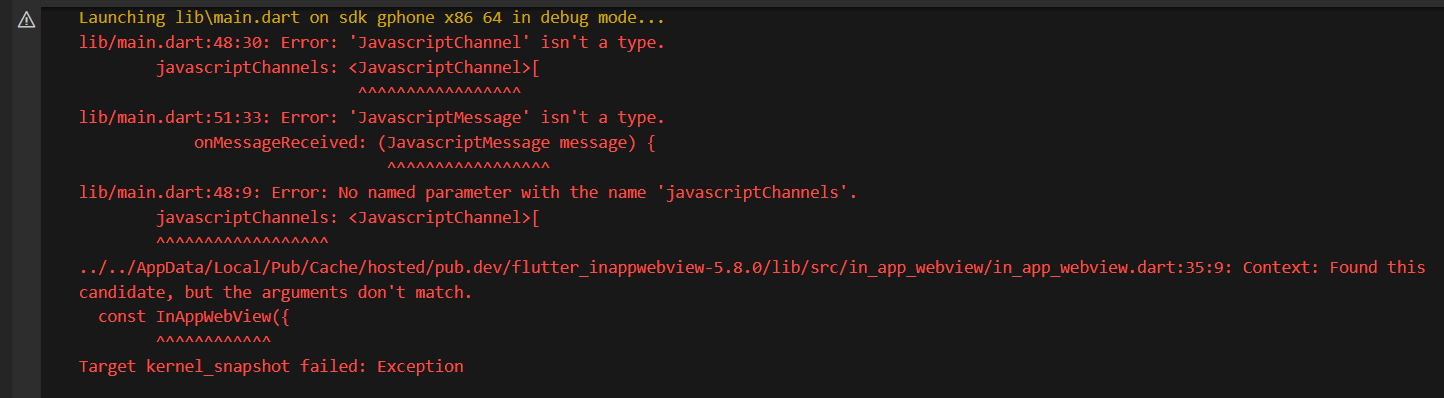
lib/main.dart:48:30: Error: ‘JavascriptChannel’ isn’t a type.
Error: Solution: It appears from the error messages that there is a lack of recognition for the JavaScriptChannel and JavaScriptMessage types. Changes in the API of the flutter_inappwebview package may be the cause of this. The addJavaScriptHandler method 2 has superseded the JavaScriptChannel and JavaScriptMessage classes, according to the official flutter_inappwebview documentation. This is how…
-
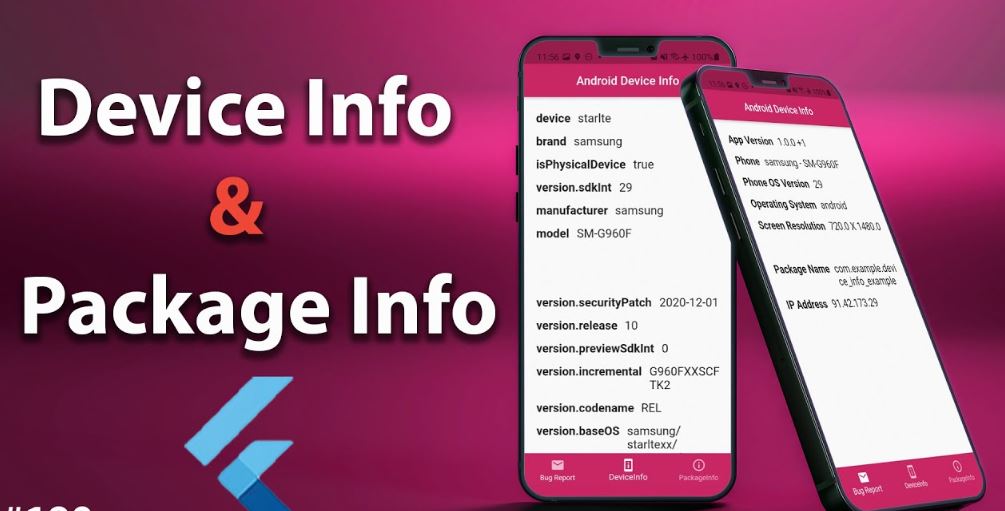
How to get Device info in Flutter
The first goal for any developer should be to create apps that are compatible with as many devices as possible. It’s possible that occasionally our application won’t function on certain devices; in such cases, it’s ideal to collect device information. in order for developers to easily track and solve bugs using that log report. Using…
-

Top 50 Linux Commands You MUST Know
The Top 50 Linux Commands Every Regular User Needs to Know Let’s now examine each of these instructions in greater detail and go a little further into them. There are numerous articles already available for each of those specific commands. We will continue to update the page when new topics are discussed and provide links…
-
Flutter pub get version solving failed
A mismatch between the Dart SDK version installed on your machine and the version indicated in your pubspec.yaml file is usually the cause of the error “Flutter pub get version solving failed”. You must change the Dart SDK version in your pubspec.yaml file to correspond with the version that is installed on your computer in…
-

Error: Type ‘Completer’ not found. Error in latest flutter version : Flutter 1.17.0 • channel stable
Error: Sulotion: It is evident from the error message that the Completer class cannot be located. Since this class is a component of the dart:async library, import it first in your Dart file: A version mismatch between your Flutter SDK and the dart:async library may be the cause of the problem if you have already…
-
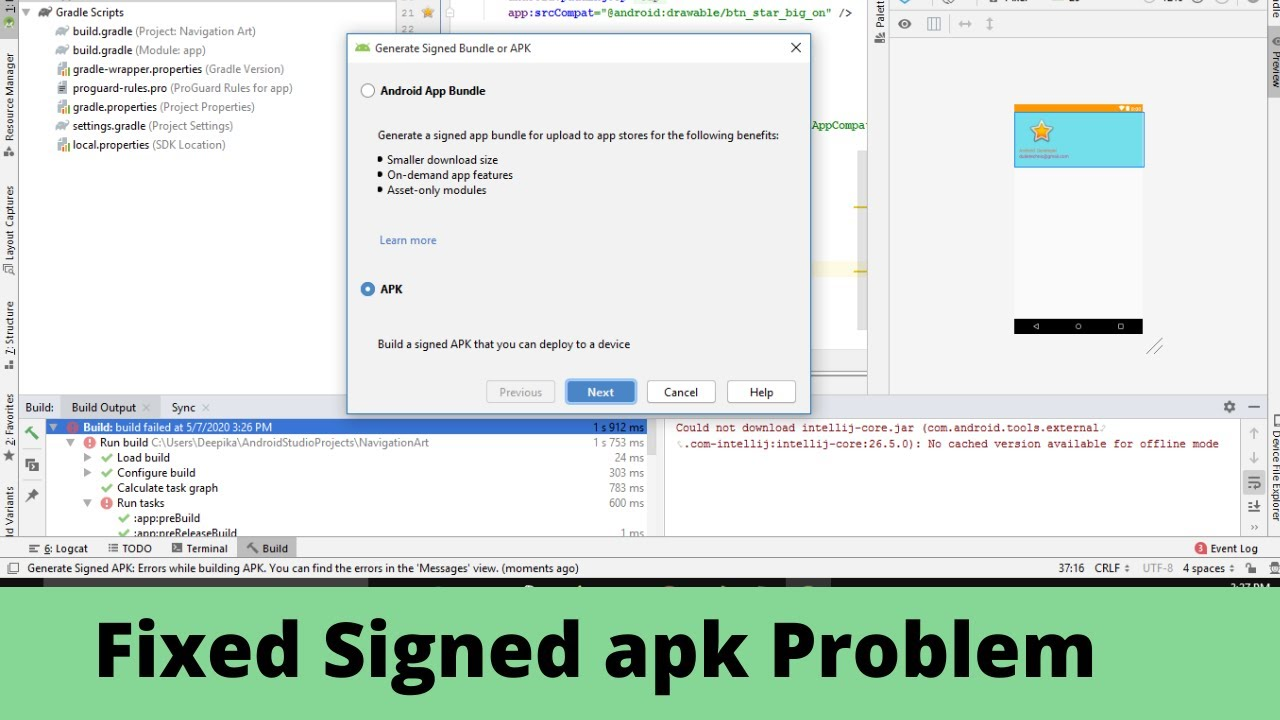
Generate Signed APK: Errors while building APK. You can find the errors in the ‘Messages’ view
Error: Solution: This line makes it quite evident that sat cannot download groovy-all.jar. This is your build, please add.Gradle Occasionally, a lousy or inadequate internet connection may be the cause. Do you have an internet connection?
-

Flutter doctor –> Android toolchain – develop for Android devices (Android SDK version 32.1.0-rc1)
Error: Solution: 2- if a build-tools (version number) exception appears,
-

How to fix Error: laravel.log could not be opened?
Error: Solution: If the aforementioned fixes don’t work, you can try turning on Laravel’s debug mode to learn more about the error. Set the APP_DEBUG value to true in the.env file to activate debug mode. When a 500 error happens, this will cause the browser to display thorough error messages. Run all commandsFor permission Run
-
lib/main.dart:35:11: Error: No named parameter with the name ‘javaScriptHandlers’.javaScriptHandlers: [
Error: Solution: The error message shows that the InAppWebViewOptions class does not have a named parameter named javaScriptHandlers. This is probably because the API for the flutter_inappwebview package has changed. The addJavaScriptHandler function in the onWebViewCreated callback should be used to add JavaScript handlers rather than javaScriptHandlers. This is how to change your code: And…
-
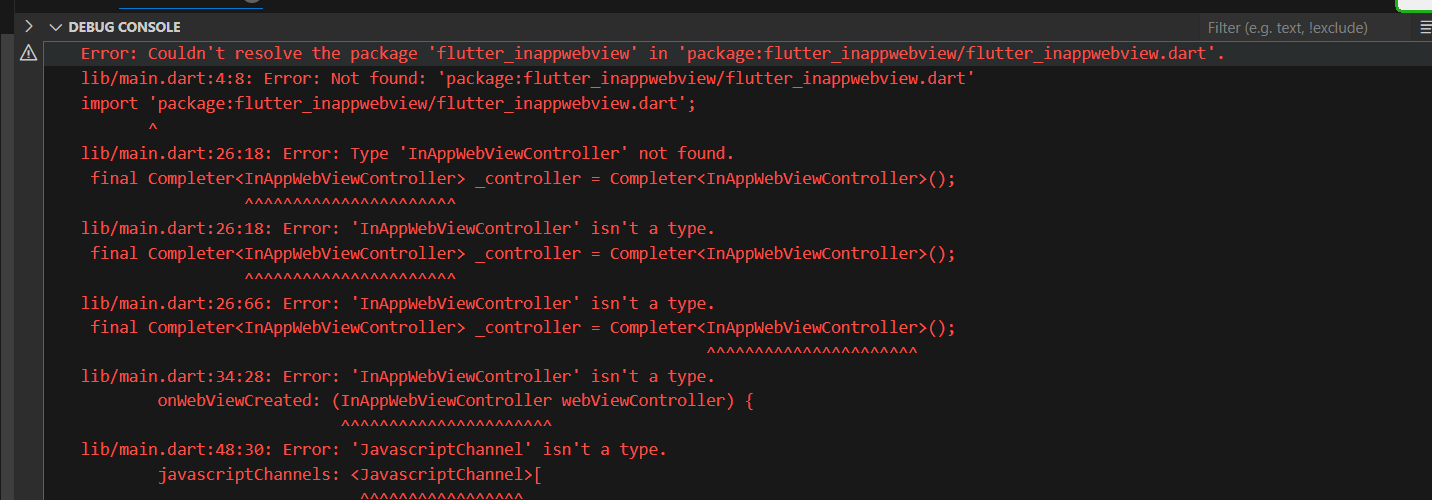
Error: Couldn’t resolve the package ‘flutter_inappwebview’ in ‘package:flutter_inappwebview/flutter_inappwebview.dart’.
Error: Solution: The reason for the error message “Couldn’t resolve the package ‘flutter_inappwebview’” could be that the package hasn’t been fetched or added to your pubspec.yaml file. First, confirm that the flutter_inappwebview package is included to the requirements section of your pubspec.yaml file: Use the command flutter pub get in your terminal to fetch the…
-
Error: Cannot pull with rebase: You have unstaged changes
Error: Solution:
-

Engage & Convert: Top Platforms to Connect with Influencers in 2024
Navigating the ever-changing influencer marketing landscape can feel like a high-wire act. You need the right partners to capture attention, spark dialogue, and ultimately drive conversions. In 2024, forget generic platforms and haphazard campaigns. It’s time to level up your game with these top platforms that connect you with influencers who’ll make your brand shine.…
-
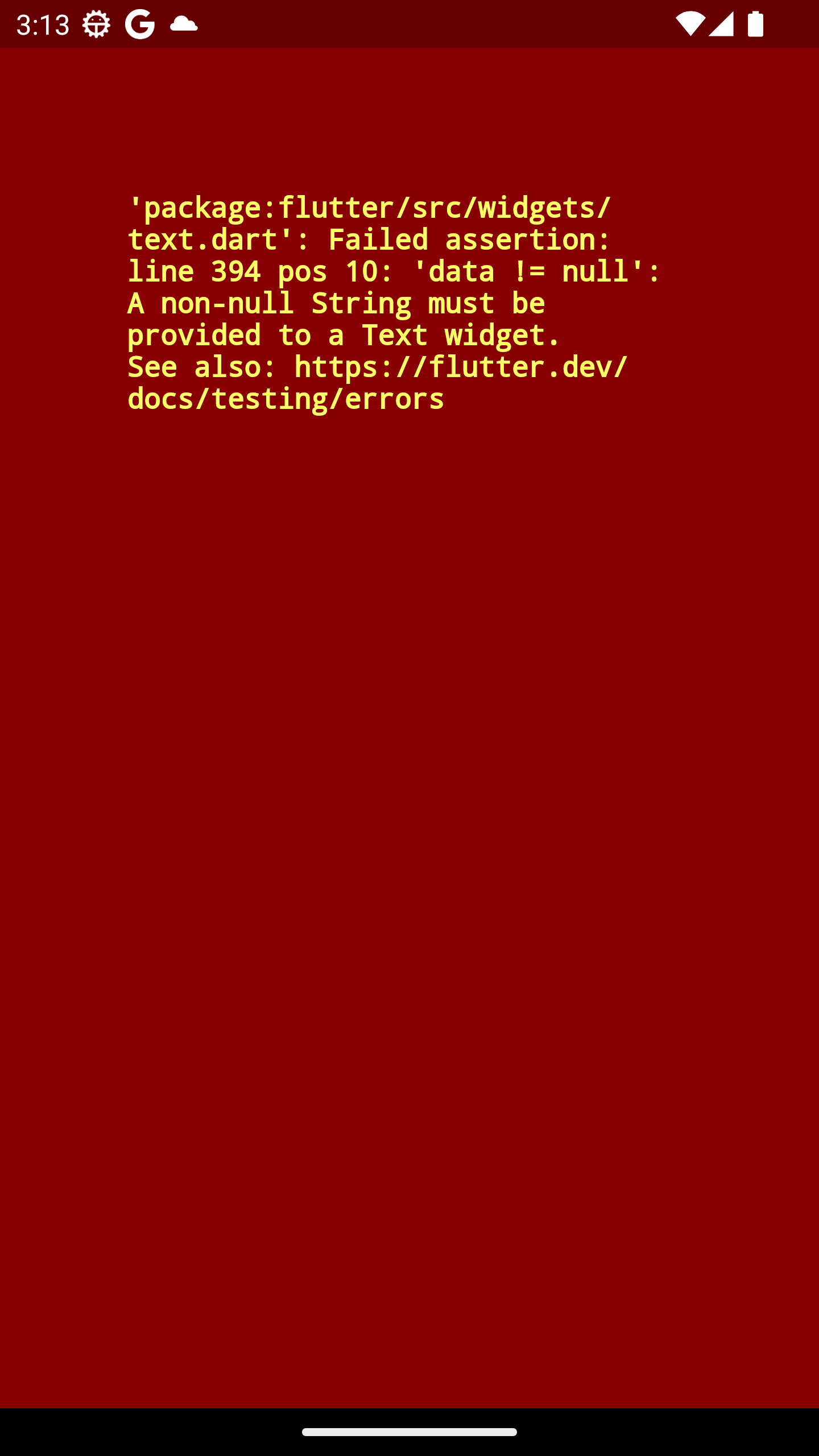
A non-null String must be provided to a Text widget
Error: Solution: It seems that the issue might be with the keys in the city map when constructing DropdownMenuItem. The key ‘city_name ‘ might have an extra space at the end, which could be causing the mismatch. Please try removing the extra space in the key. Here’s the modified code:

Follow Us
Recent Posts
- Smart Guide To Baby Dreams With IvfHospitalsNow

- Complete Guide to Certified Site Reliability Manager Certification

- Awesome City Play And Joyful Weekends With HyderabadOrbit

- Career Growth After Certified Site Reliability Architect Certification

- How SRE Architects Balance Reliability, Scalability, and Cost

Categories
- access 1
- Administration 1
- AIOps 1
- Apache 2
- API 3
- App 7
- Application 1
- Bottom 1
- class 1
- CLI 1
- Client 1
- Commands 3
- Composer 1
- Container 1
- daemon 1
- Database 1
- DevOps 2
- DevSecOps 2
- Docker 3
- dropdown 1
- Encryption 1
- Error 1
- features 1
- Flutter 20
- Form 2
- Gateway 1
- Google 2
- google play console 2
- Google verification 1
- install 1
- Integrate 1
- Key 2
- lampp 1
- Laravel 19
- linux 5
- List 1
- MaterialApp 1
- Medical Tourism 1
- MLOps 2
- Motoshare 1
- MySQL 4
- NavigationBar 1
- Navigator 2
- package 1
- Payment 2
- Paypal 1
- Performance 1
- PHP 3
- phpmyadmin 7
- PID 1
- Ping 1
- Play Store 2
- PONG 1
- port 1
- ProFTPD 1
- Redis 1
- root 1
- running 1
- search 1
- Security 2
- server 3
- SRE 2
- subtype 1
- Troubleshooting 2
- ubuntu 1
- ui 1
- Uncategorized 689
- Unhandled 1
- Validation 2
- value 1
- WakilSahab.in 1
- widgets 2
- Windows 2
- XAMPP 5
- YouTube 1
Tags
#AssetManagement #Automation #CloudComputing #CloudEngineering #CloudInfrastructure #CloudNative #ContentManagement #DAM #DAMSoftware #DevOps #DevOpsCertification #DevOpsSchool #DevSecOps #DigitalAssetManagement #DigitalAssets #InfrastructureAsCode #ITCertification #Kubernetes #PlatformEngineering #RajeshKumar #ReliabilityEngineering #SEOManagement #SiteReliabilityEngineering #SRE #SRECertification #Sreschool #SystemReliability #TechCareers #Wizbrand Laravel